📌 Release Notes for August, Week 4: Promotion UI Templates are now available! Building a paywall has never been easier! Learn more

March 2026

· 3 min read

v.3.2.0

A brand new predictive model has arrived.
Let’s dive into this major update designed to let AI optimize even smarter!

✉️ Send us your suggestions: support@monetai.io

✅ What's new in March

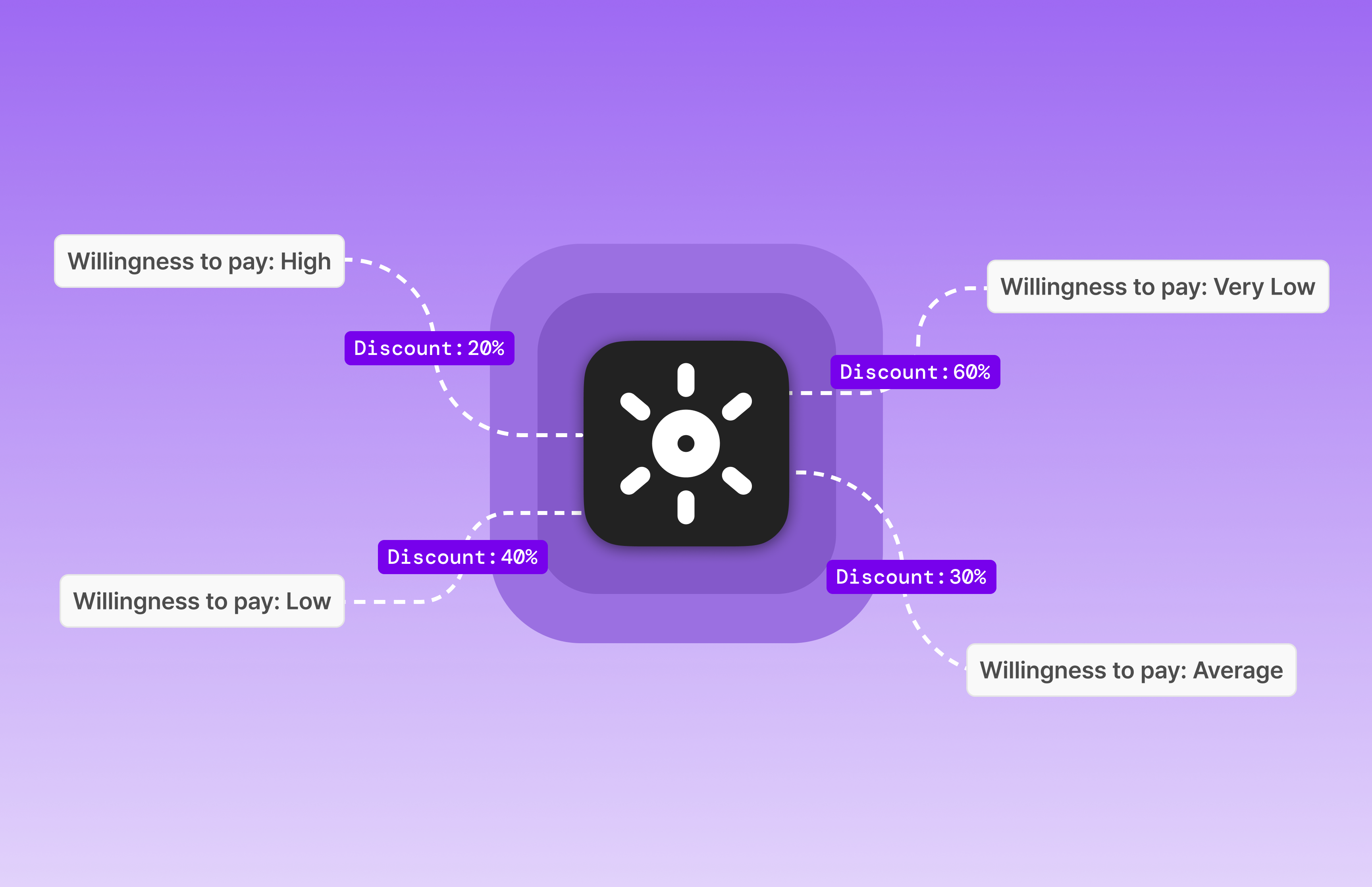
  1. Beyond Non-Payer Prediction, Dynamic Pricing 🔥: AI automatically finds the optimal discount rate that maximizes revenue.
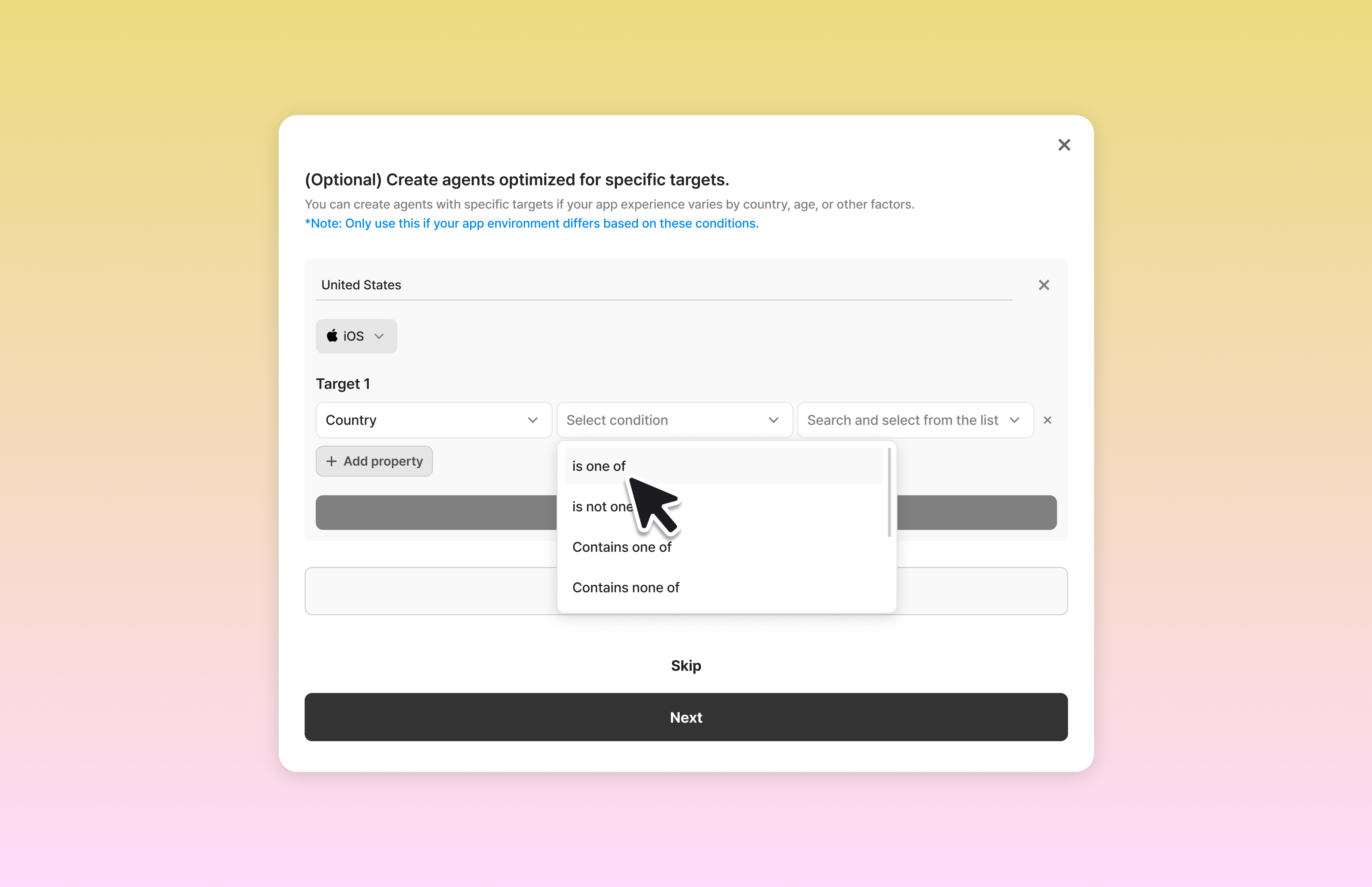
  2. Custom Targeting for Specific Environments: For apps with distinct environments based on country or age, we now provide a builder to add dedicated Agents.
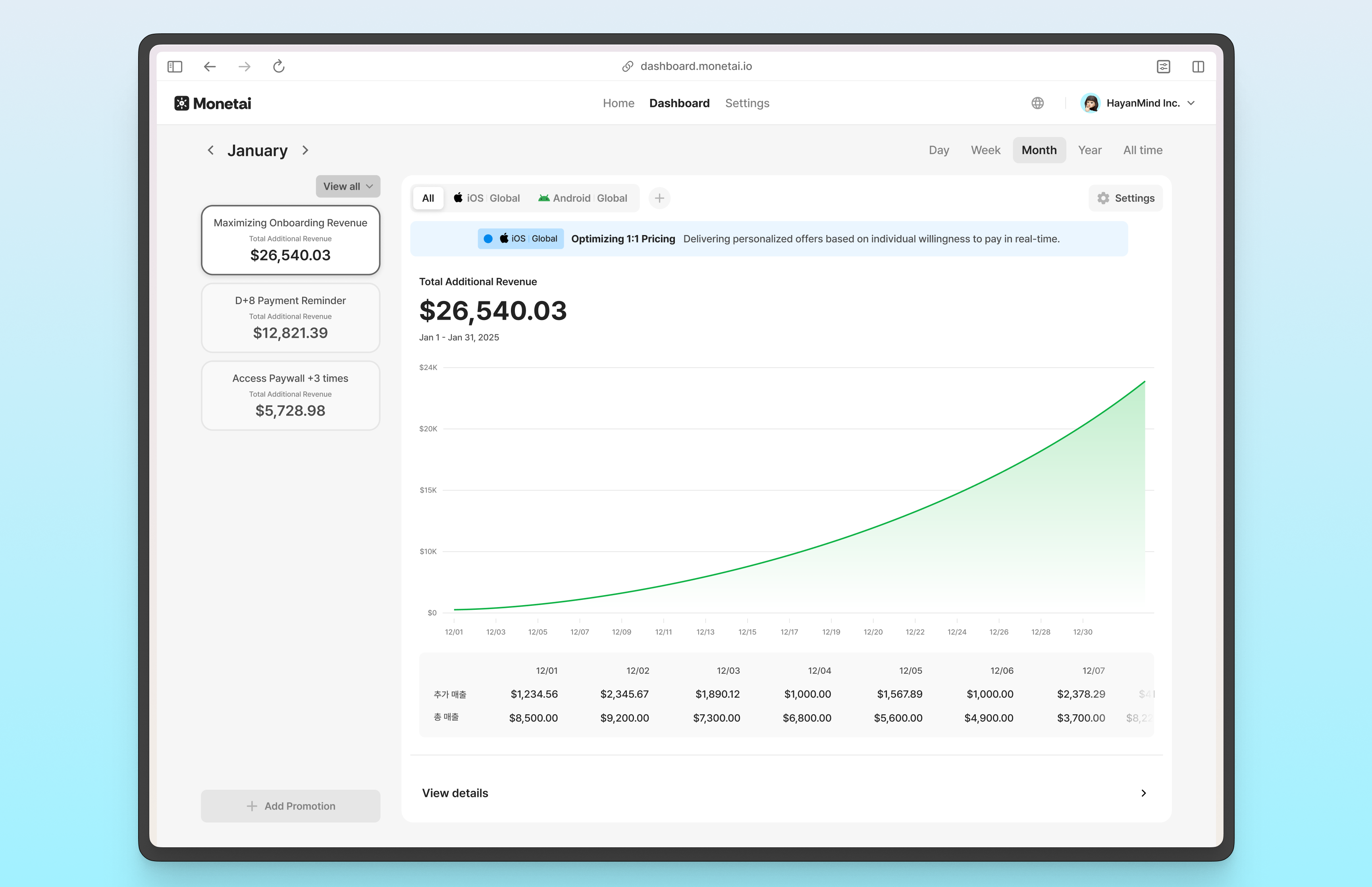
  3. Dashboard Overhaul 🔥: Upgraded to an always-on revenue engine that goes beyond simple experiments.

① Beyond Non-Payer Prediction, Dynamic Pricing: AI automatically finds the optimal discount rate that maximizes revenue.

While the previous model focused solely on identifying "users who won't buy," Monetai 3.0’s Phase 1: Global Optimization model has evolved significantly. It perfectly defends against revenue waste (discounting users willing to pay full price) and missed opportunities (losing users who just need a small push), which often occur with rigid, fixed discounts.

By continuously analyzing user behavior patterns and testing different options, the AI Agent autonomously discovers the perfect balance that maximizes 'Total Revenue (ARPU × Conversion Rate),' rather than simply maximizing the number of sales.

🔍 What’s Changed?

  • AS-IS: Non-Payer Prediction (Offering a fixed, single discount to users predicted to churn)
  • TO-BE: Dynamic Pricing based on Global Optimization (Automatically testing various discount rates to find the revenue-maximizing point for the entire user base)

Coming Soon — Phase 2: 1:1 Personalization

Following the current Global Optimization, our 'Personalized Optimization' model will soon be released. This will match individual users with unique discount prices tailored to their specific price sensitivity.
Dynamic Pricing

② Custom Targeting for Specific Environments: For apps with distinct environments based on country or age, we now provide a builder to add dedicated Agents.

While we highly recommend using the default Global Agent, we understand that some apps offer completely separate features or content depending on factors like country or age. For these specific environments, you can now add dedicated Custom Agents tailored exclusively to those conditions.
Custom Targeting

③ Dashboard Overhaul: Upgraded to an always-on revenue engine that goes beyond simple experiments.

In alignment with the massive shift in our core model, the dashboard has been completely redesigned. Monetai is an always-on revenue optimization system that works 365 days a year from the moment it's integrated. This overhaul is designed to help you focus entirely on that core value.

We positioned the Cumulative Incremental Revenue as the primary metric on the main dashboard and complex metrics have been separated into the Detailed Data page. Reduce the fatigue of complex analysis and simply focus on the upward-trending revenue that the system automatically builds for you.
Dashboard 2.0


We encourage you to try out the new updates and let us know what you think.
We are committed to constantly improving your experience. We look forward to your continued use and feedback!

✉️ Send suggestions: support@monetai.io
December 2025

· 3 min read

v.2.1.0

Monetai has been completely revamped to wrap up 2025!
We've introduced major updates to identify purchasing patterns more precisely and predict non-purchasers with greater accuracy. Let's take a look at what's new.

✉️ Send us your suggestions: support@monetai.io

✅ What's new in December

  1. Major Dashboard Update 🔥: We've separated dashboards and prediction models by OS. This allows for more precise predictions tailored to the unique user characteristics of each platform.
  2. New Home Menu 🔥: A new Home menu has been added, allowing you to see your entire status at a glance.

① Major Dashboard Update: Separate models for clearer insights.

The core of this update is independent analysis by OS.
iOS and Android apps often have different functions or significantly distinct user behavior patterns. To capture these nuances more accurately, we have separated the dashboards and AI models.

🔍 What's changed?

  • AS-IS: Analysis and predictions were performed without distinguishing between OSs, which relatively limited the precision of the AI model.
  • TO-BE: By training on data specific to each environment, the AI model can predict user behavior much more accurately.
AS-ISTO-BE
Dashboard StructureUnified OS View
iOS and Android data were combined.
Independent OS Views
Switch between iOS and Android dashboards using the top tabs.
AI Prediction ModelSingle Unified Model
Training on mixed data limited the reflection of unique patterns.
Separate Models per OS
Training on OS-specific data increases prediction accuracy and targeting precision.
As the dashboards are now separated, campaign operations have also been separated.

To run campaigns on both iOS and Android simultaneously, please enter each dashboard and launch the campaigns individually.

Dashboard Update

② New Home Menu: Your status at a glance.

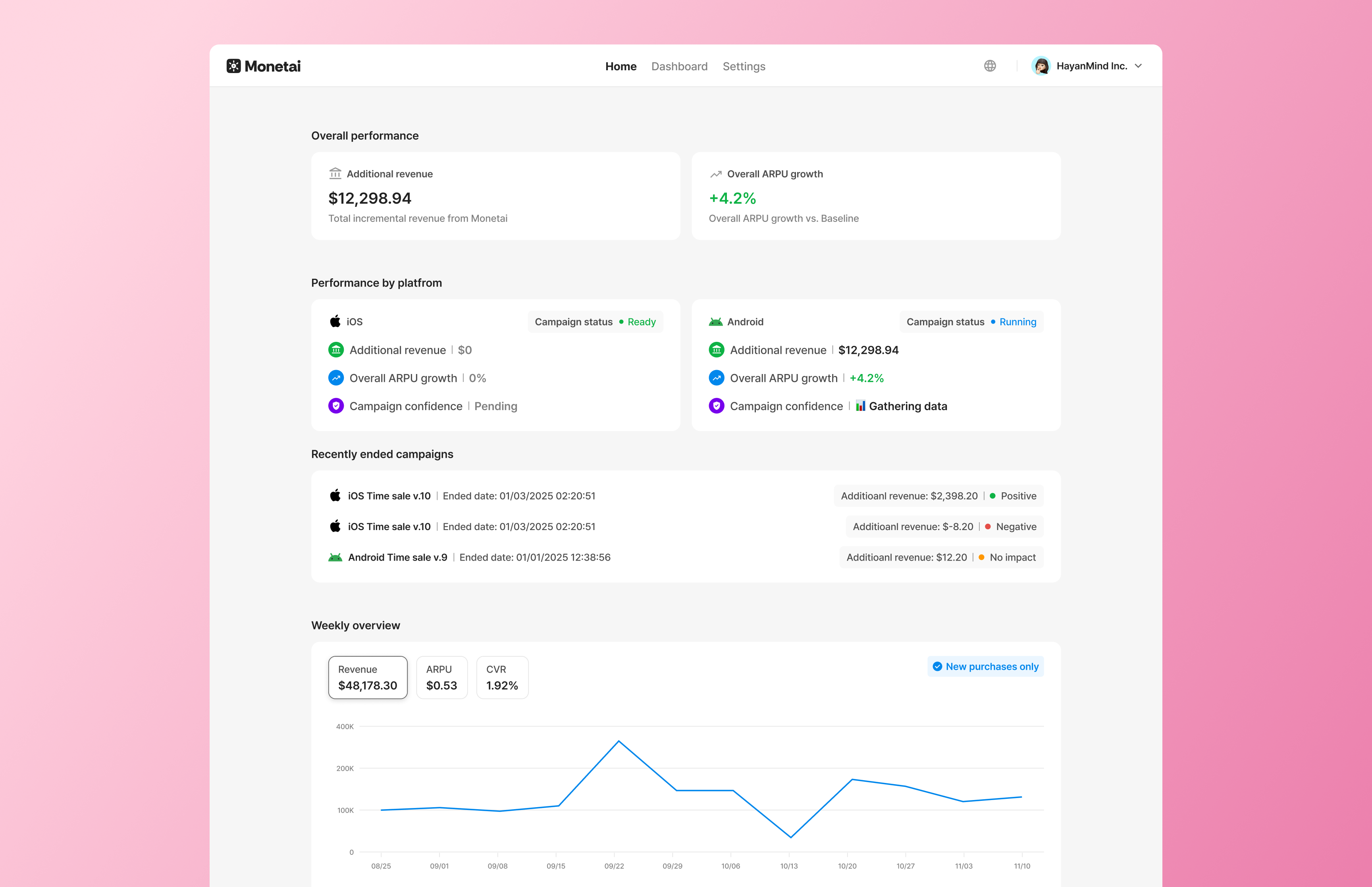
  • To solve the inconvenience of navigating between separated dashboards, we've introduced a Home menu where you can view your overall status in one place.
  • This is the first screen you'll see when you log in to Monetai. You can now quickly grasp your app’s overall performance and important notifications without having to check each OS dashboard individually.

Home Menu


We encourage you to try out the new updates and let us know what you think.
We are committed to constantly improving your experience. We look forward to your continued use and feedback!

✉️ Send suggestions: support@monetai.io
November 2025

· 3 min read

v.2.0.1

Monetai is taking another step forward to help you optimize your revenue!
Here are the new features and key improvements of this month.

✉️ Send us your suggestions: support@monetai.io

✅ What's new in November

  1. Campaign performance logic update: We've updated it to handle free trial periods of subscription products.
  2. UI template update: Button interactions have been added.

① Campaign performance logic update: We've updated it to handle free trial periods of subscription products.

Previously, differences in payment timing between products with free trials (Baseline) and instant-payment promotional products (Monetai) could skew performance data.
To solve this, we have overhauled both our revenue aggregation logic and the dashboard UI. Now, you can make accurate and fair comparisons regardless of payment timing differences.

🔍 What's changed?

AS-ISTO-BE
Revenue aggregation basisBased on payment date. Added on the day payment occurs.Based on acquisition date. Added on the day the user starts the free trial.
Impact of free trialsBaseline revenue is delayed, making initial performance look very low.Attributed to the acquisition date regardless of payment timing, allowing accurate comparison.
Pending results in dashboardIncluded without distinction, creating an illusion of low ARPU.Distinguished by dotted lines and excluded from statistics during the free trial period for reliable data.

💡 Dashboard changes
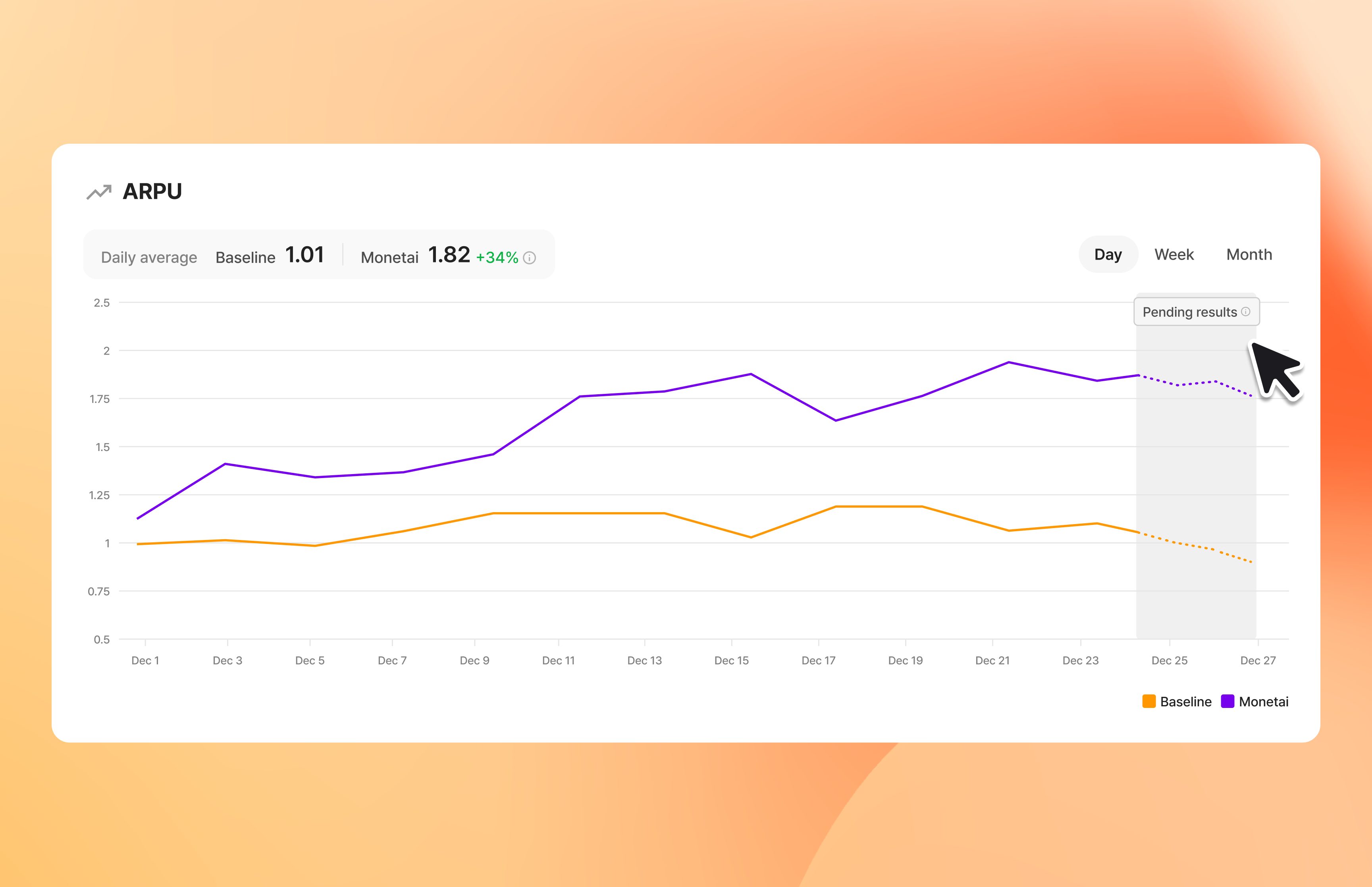
To ensure clear information delivery, a [Pending Results] section has been added to the dashboard graphs.

  • Pending results section: Pending results tag and description will be displayed for data intervals currently being aggregated due to ongoing free trial periods.
  • Post-Campaign notice: If free trial periods remain after a campaign ends, a notice will inform you when the data will be finalized (e.g., "We are processing the final performance for the period Jan 1, 2025 - Jan 3, 2025. The finalized data will be available on Jan 4, 2025.").

Free Trial Graph

② UI template update: Button interactions have been added.

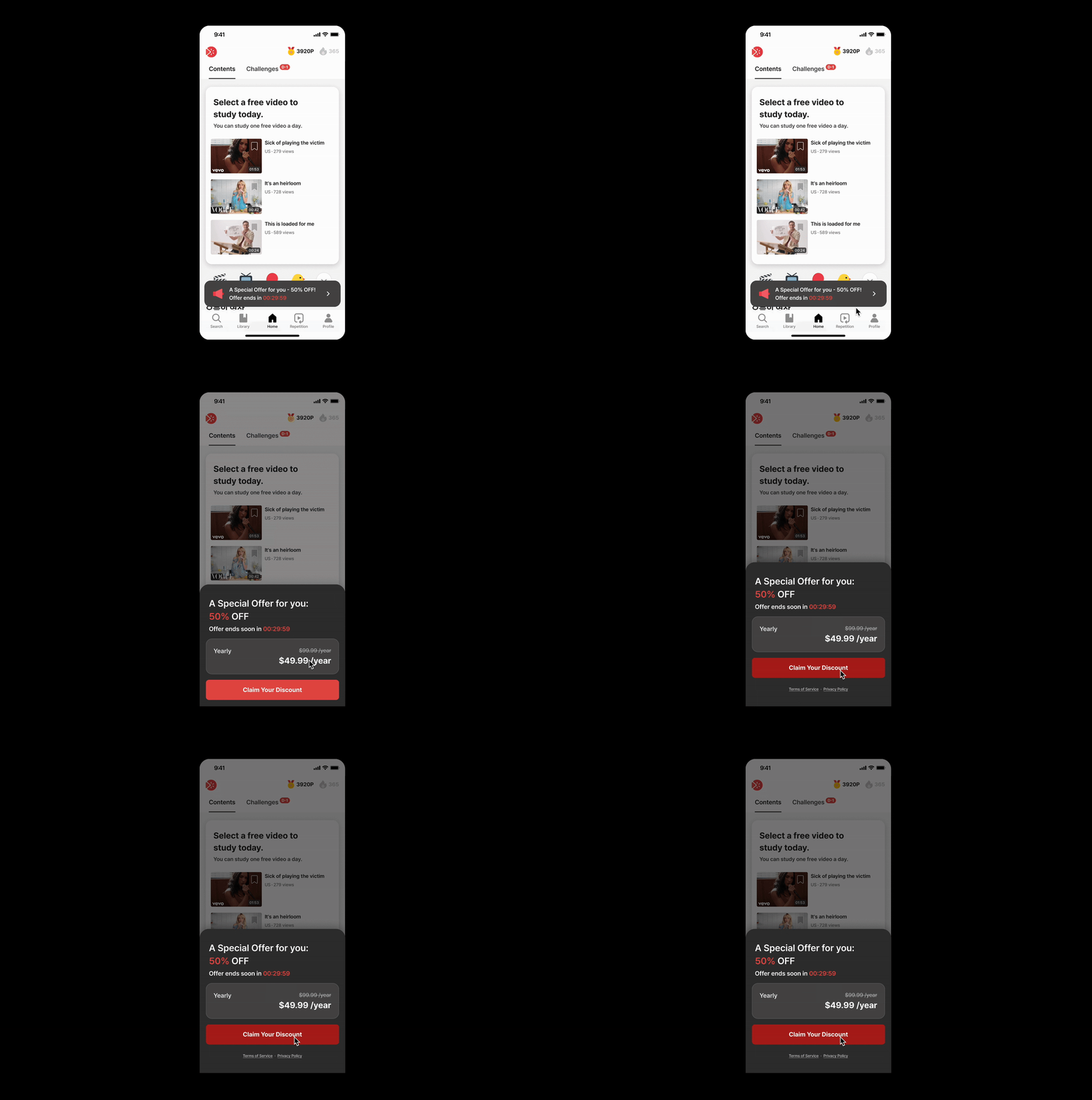
We've added interactions to the promotion banner and payment page CTA (Call To Action) in Monetai UI Templates so users can clearly perceive when a button is pressed.

🔍 What's changed?

  • AS-IS: There was no change in color or shape when touching a button, making it difficult for users to intuitively know if the button was pressed or if the app had frozen.
  • TO-BE: Pressed effect has been applied, changing the color the moment the button is tapped. Users can instantly see that their touch has been recognized, providing a much smoother user experience.

UI Template Interaction


We encourage you to try out the new updates and let us know what you think.
We are committed to constantly improving your experience. We look forward to your continued use and feedback!

✉️ Send suggestions: support@monetai.io
October 2025

· 4 min read

v.2.0.0

Monetai just got smarter! This update brings powerful upgrades to our prediction model along with crucial campaign improvements. Let's dive into what's new.

✉️ Send us your suggestions: support@monetai.io

✅ What's new in October

  1. Campaign Confidence 🔥: Make decisions with data, not just your gut.
  2. Monetai Prediction Model 2.0 🔥: Our prediction model is now even more sophisticated!
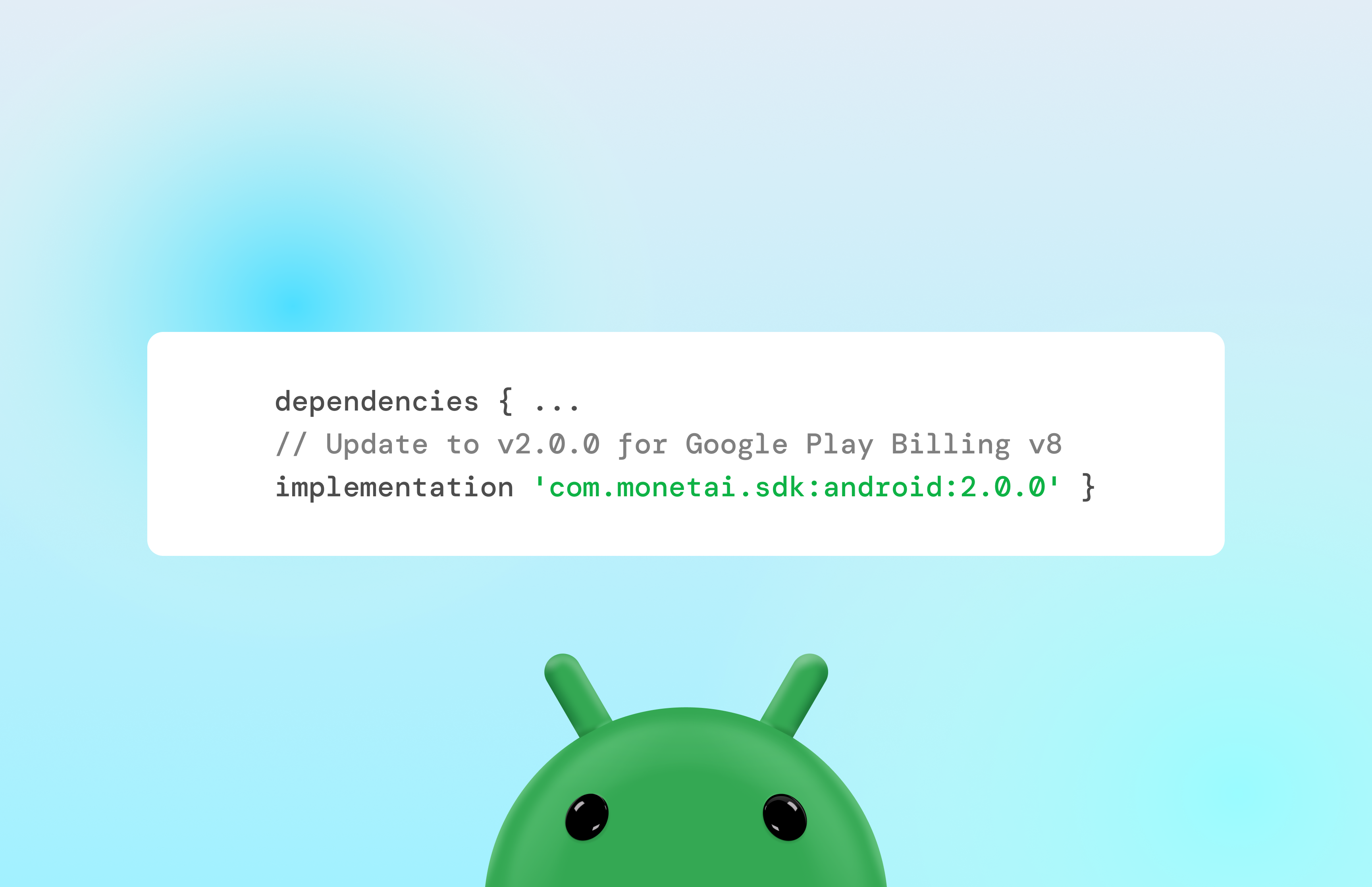
  3. Android SDK Update: Now supports Google Play Billing Library v8.

① Campaign Confidence: Make decisions with data, not just your gut.

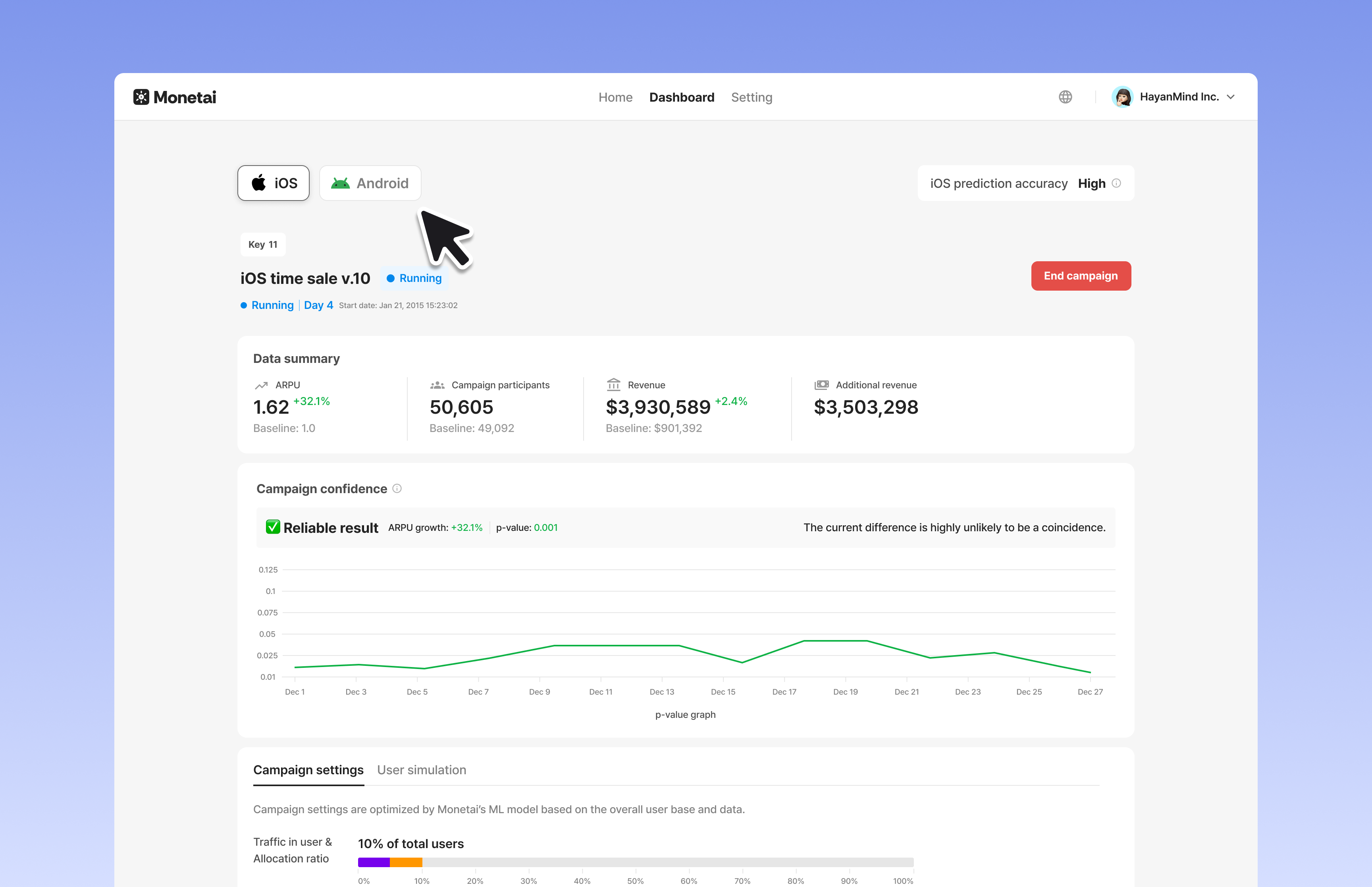
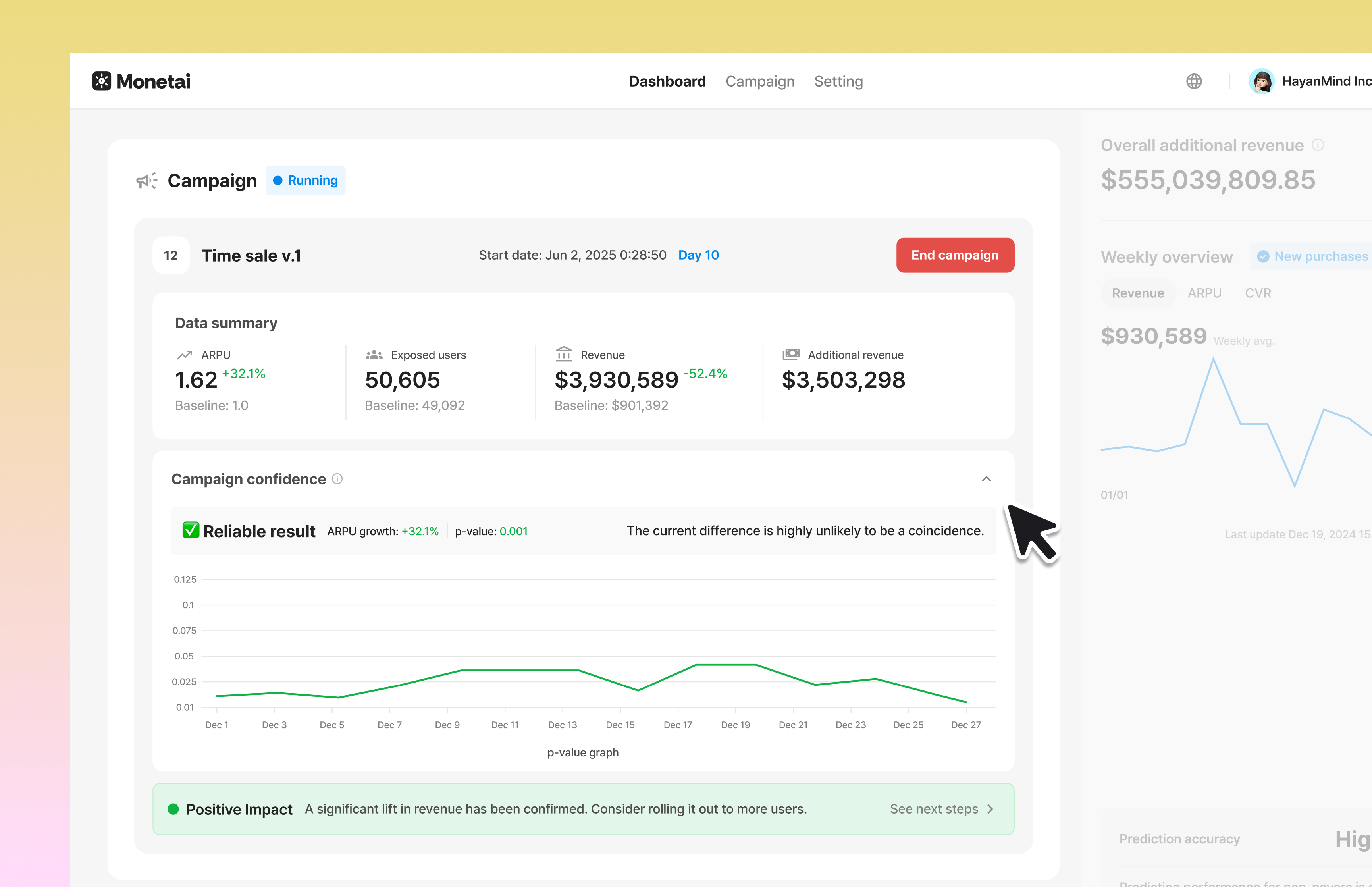
Have you ever seen positive Campaign results but weren't sure if it was a true Monetai effect or just a coincidence? Now, with Campaign Confidence, you can make clear, data-driven judgments and decide on your next steps with certainty.

🔍 What's Changed?

  • AS-IS: Even with good campaign results, it was difficult to determine if they were statistically significant or just chance. Decisions to expand traffic had to be based on a "gut feeling."
  • TO-BE: A new Campaign Confidence status is now displayed on your dashboard. This metric automatically analyzes factors like p-value, total users, and campaign duration to judge how reliable your performance data is.

📊 3 levels of the Campaign Confidence:

It shows you how statistically reliable your campaign performance is in three stages.

  • Gathering data: Gathering data to ensure a reliable result.
  • Analyzing trends: There's a noticeable difference, but it may still be due to chance. Please wait for more data to be certain.
  • Reliable result: The current difference is highly unlikely to be a coincidence.

💡 You can expand the toggle to see more details, including the p-value.

🚀 Make your next move based on confidence!

Once the status reaches 'Reliable', Monetai will determine the final campaign result based on the ARPU comparison.

  • 🟢 Effective: A significant lift in revenue has been confirmed. Consider rolling it out to more users.

  • 🔴 Negative Impact: This campaign is having a negative impact. We suggest stopping it and finding a new approach in our docs.

  • 🟡 Inconclusive: The campaign's impact is not statistically significant. We suggest stopping it and finding a new approach in our docs.

  • Go to Campaign Confidence on Docs

Campaign Confidence

② Monetai Prediction Model 2.0 : Our prediction model is now even more sophisticated!

To optimize your revenue, Monetai's AI prediction model has been upgraded to v2.0. This update focuses on improving the accuracy of predicting 'full-price paying users' and measuring campaign performance (ARPU) more precisely.

🔍 What's Changed? — Incorporating actual prediction timing

  • AS-IS: Previously, the model's training did not account for your configured prediction timing. This could lead to lower prediction accuracy in a live environment.
  • TO-BE: The free trial period is now formally included in the campaign data calculation. This allows for a more accurate reflection of the user's actual conversion-to-paid status and provides a more reliable ARPU.

🔍 What's Changed? — Excluding pre-prediction purchases

  • AS-IS: Users who had already made a purchase before the predict() function was called were sometimes included in the campaign ARPU calculation, which could skew the data.
  • TO-BE: Users who purchase before the predict() function is called are now clearly excluded from the campaign calculation, allowing for a more accurate measurement of the campaign's true impact.

This Model 2.0 update is applied automatically with no setup required. All customers can now optimize revenue based on more sophisticated predictions and reliable data.

Model 2.0

③ ### Android SDK Update: Now Supports Google Play Billing Library v8 (v2.0.0)

To ensure a more stable payment environment and comply with Google's latest policies, the Monetai Android SDK has been updated to support Google Play's latest Billing Library v8.

  • Easy Migration: No app code changes are required when updating from SDK v1.x to v2.0.0. (Gradle handles the dependencies automatically.)
  • ⚠️ Important: If your app uses other payment-related libraries in addition to Monetai, please ensure that those libraries are also compatible with Billing Library v8.

For stable service operation, we highly recommend updating your Monetai Android SDK to the latest version (v2.0.0).

Android SDK update


We encourage you to try out the new updates and let us know what you think.
We are committed to constantly improving your experience. We look forward to your continued use and feedback!

✉️ Send suggestions: support@monetai.io
September 2025

· 2 min read

v.1.1.1

Monetai is taking a step forward in helping you optimize your revenue!
Here are our new features and key improvements for September.

✉️ Send us your suggestions: support@monetai.io

✅ What's New in September

  1. Promotion UI Templates for Android: Now you can easily create paywalls and launch campaigns in your Android apps!
  2. Workspace Permissions: Manage roles and permissions for your team members.

① Promotion UI Templates for Android: Now you can easily create paywalls and launch campaigns in your Android apps!

The UI Templates we launched last month are now available for Android.

Get Started by SDK

UI Template

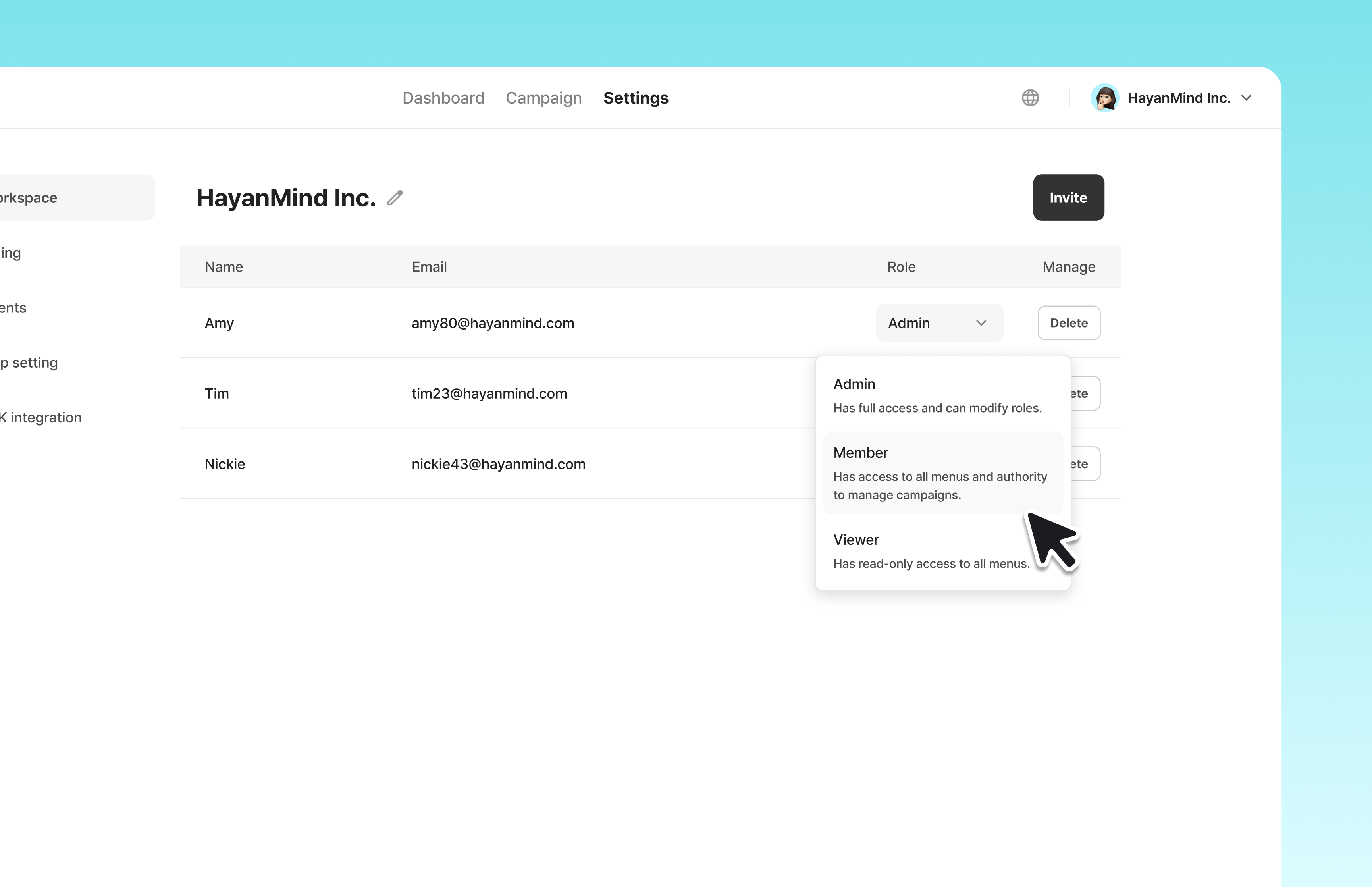
② Workspace Permissions: Manage roles and permissions for your team members.

  • You can now manage permissions for members in your workspace, setting them as Admin, Member, or Read-only according to your needs.
  • You can find this in the Settings → Workspace menu.

Member Permission


We encourage you to try out the new updates and let us know what you think.
We are committed to constantly improving your experience. We look forward to your continued use and feedback!

✉️ Send suggestions: support@monetai.io
August 2025

· 3 min read

v.1.1.0

Feeling the August heat? We're here with some cool updates to help you chill out!
From our long-awaited Android SDK support to valuable improvements that will save you a click, we've packed our August release with great new features. Check them out now!

✉️ Send us your suggestions: support@monetai.io

✅ What's New in August

  1. Android SDK 🔥: Use Monetai in your Android apps.
  2. Model Training Status Banner: Now you can check the real-time status of your AI model.
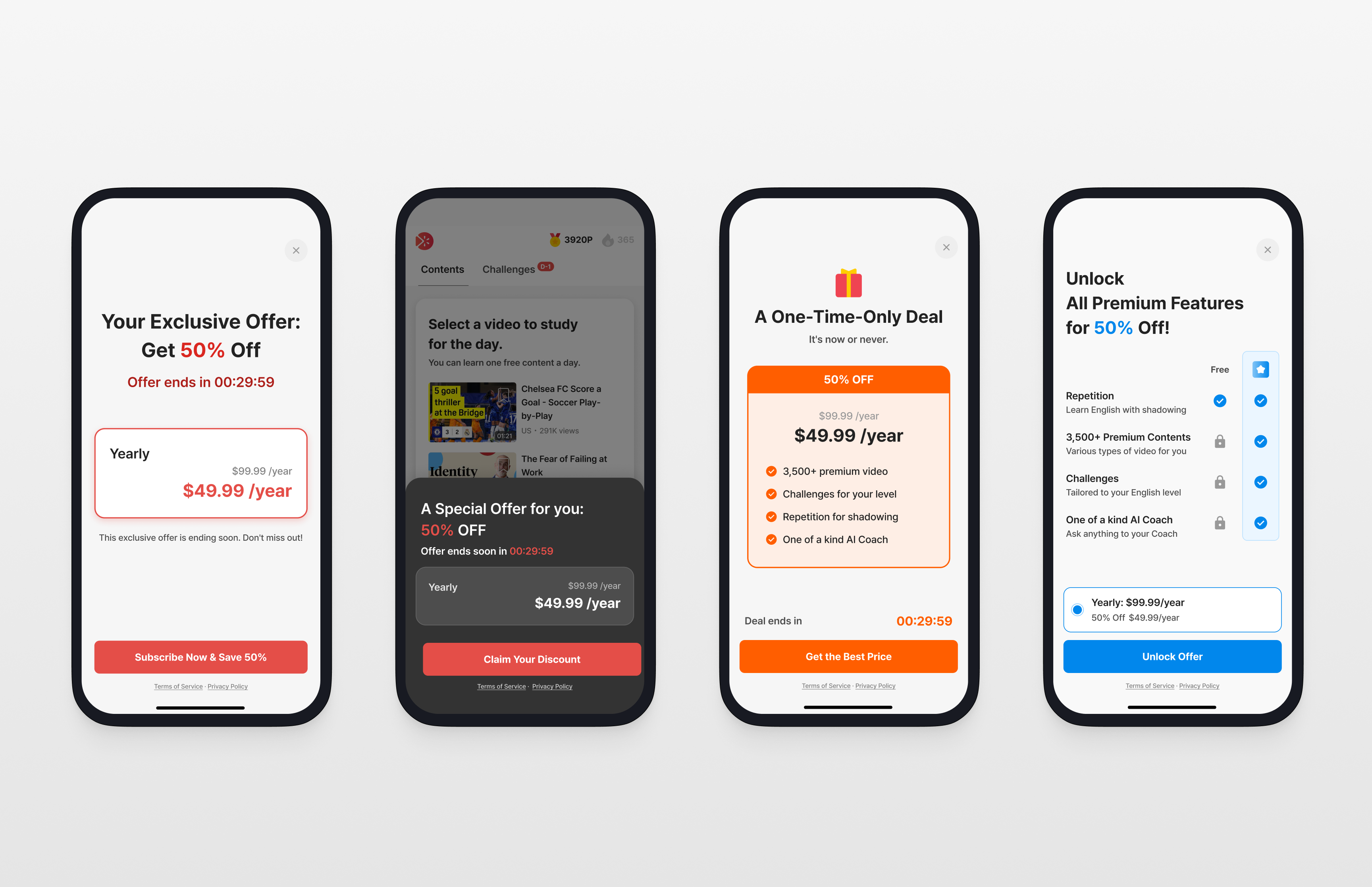
  3. Promotion UI Templates 🔥: Easily create paywalls and launch Campaigns!

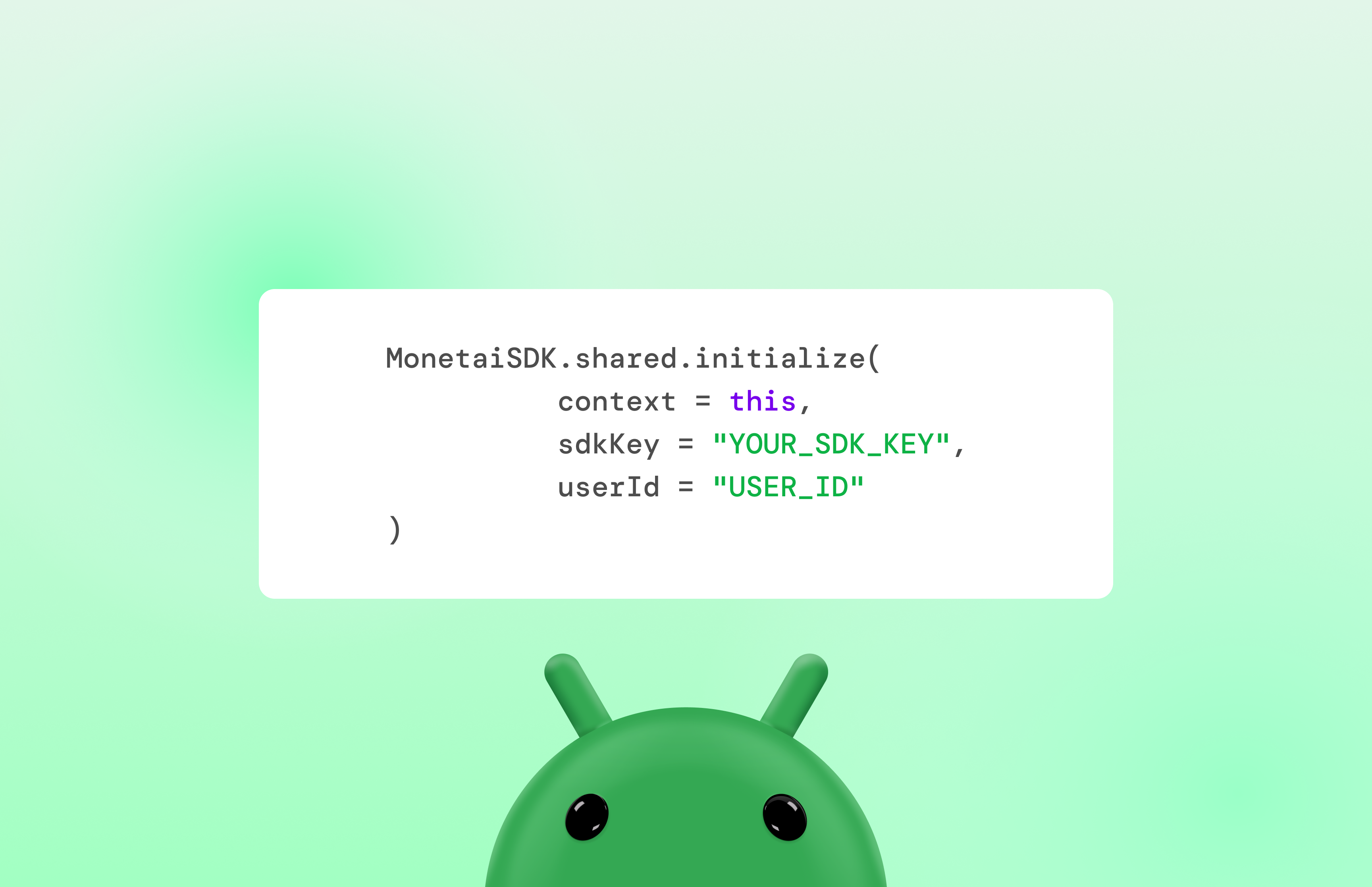
① Android SDK: Use Monetai in your Android apps.

Android SDK

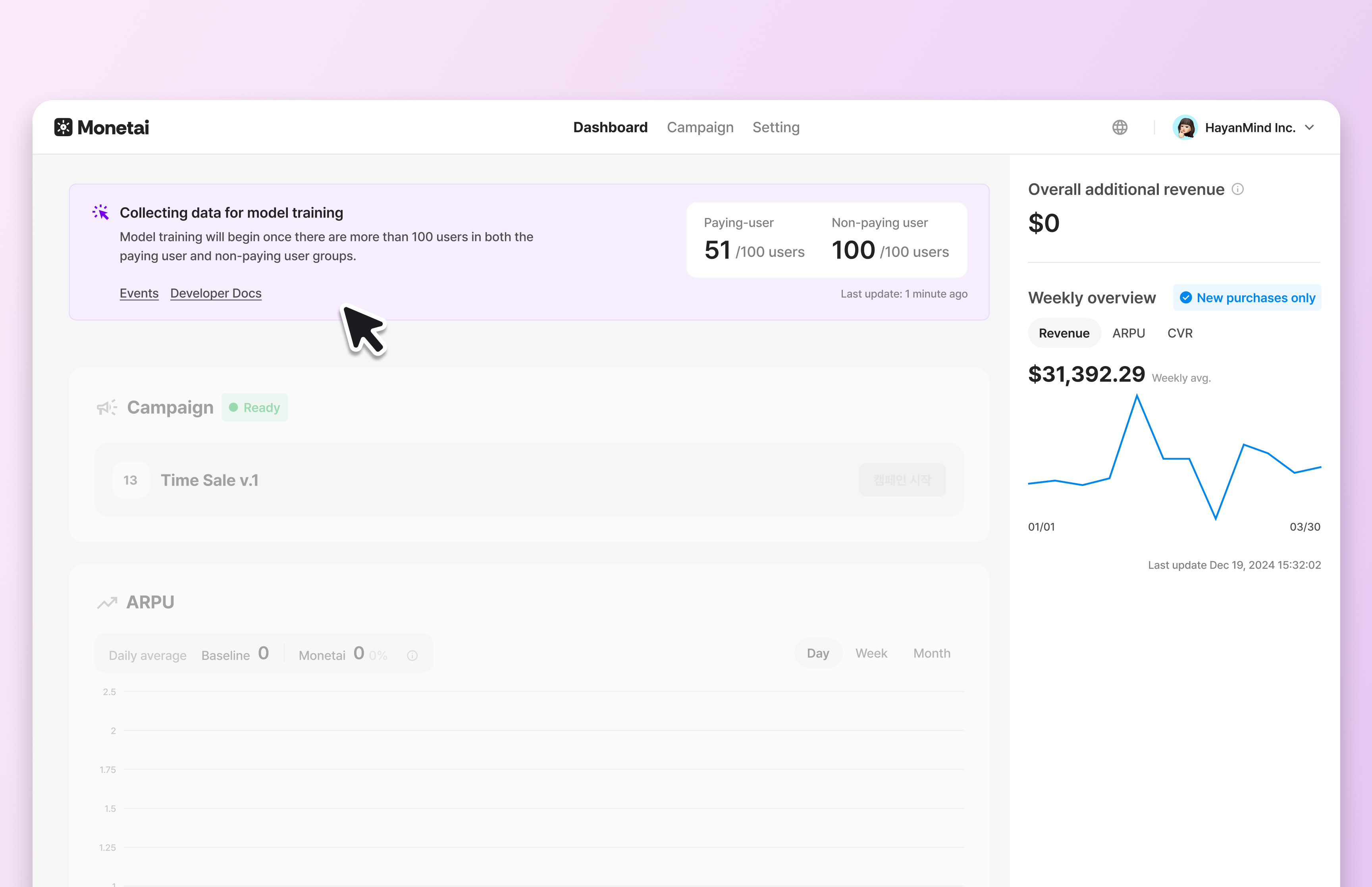
② Model Training Status Banner: Now you can check the real-time status of your AI model.

To increase the Recall value, a key accuracy metric, the AI model begins training right after onboarding is complete. You can now monitor the progress of this training.

🔍 What’s Changed?

  • AS-IS: You couldn't see the AI model's training progress between completing onboarding and launching a campaign.
  • TO-BE: You can now check the model's training status on a banner at the top of the dashboard.

Onboarding Events

③ Promotion UI Templates: Easily create paywalls and launch Campaigns!

Monetai's UI templates are designed to work for anyone, right out of the box.

  • Their power comes from a clean, persuasive layout, so you can launch them immediately without needing to supply your own custom images, reviews, or logos.
  • You can get started by simply adding your subscription plan and pricing information.
  • UI Templates Design Guide
Get Started by SDK

Currently launched on iOS and React Native SDK, and we are actively developing Android SDK!

UI Templates

✅ Other Updates

  • The Monetai React Native SDK has been updated to support Google Play's latest Billing Client v7.
    To ensure stable service operation and compliance with the latest policies, we strongly recommend updating your Monetai React Native SDK to the latest version (0.3.0)

We encourage you to try out the new updates and let us know what you think.
We are committed to constantly improving your experience. We look forward to your continued use and feedback!

✉️ Send suggestions: support@monetai.io
July 2025

· 3 min read

v.1.0.1

Introducing Monetai's First-Ever Release Notes! 🎉
From now on, this is where we'll be the first to share updates on new features and improvements made thanks to your valuable feedback. If you have any great ideas on how Monetai can grow, please feel free to suggest them anytime.

✉️ Send us your suggestions: support@monetai.io
✅ What's New in July

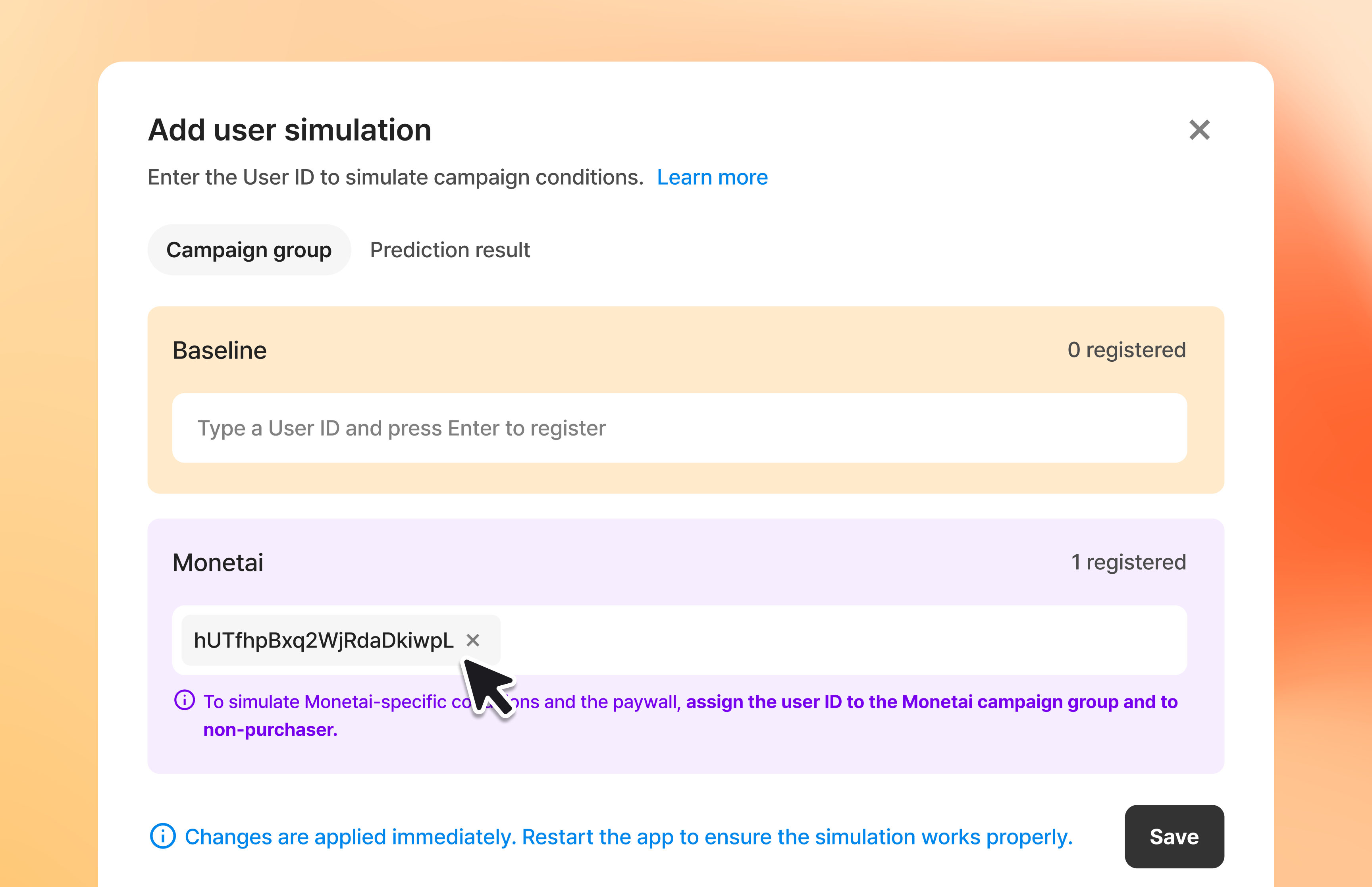
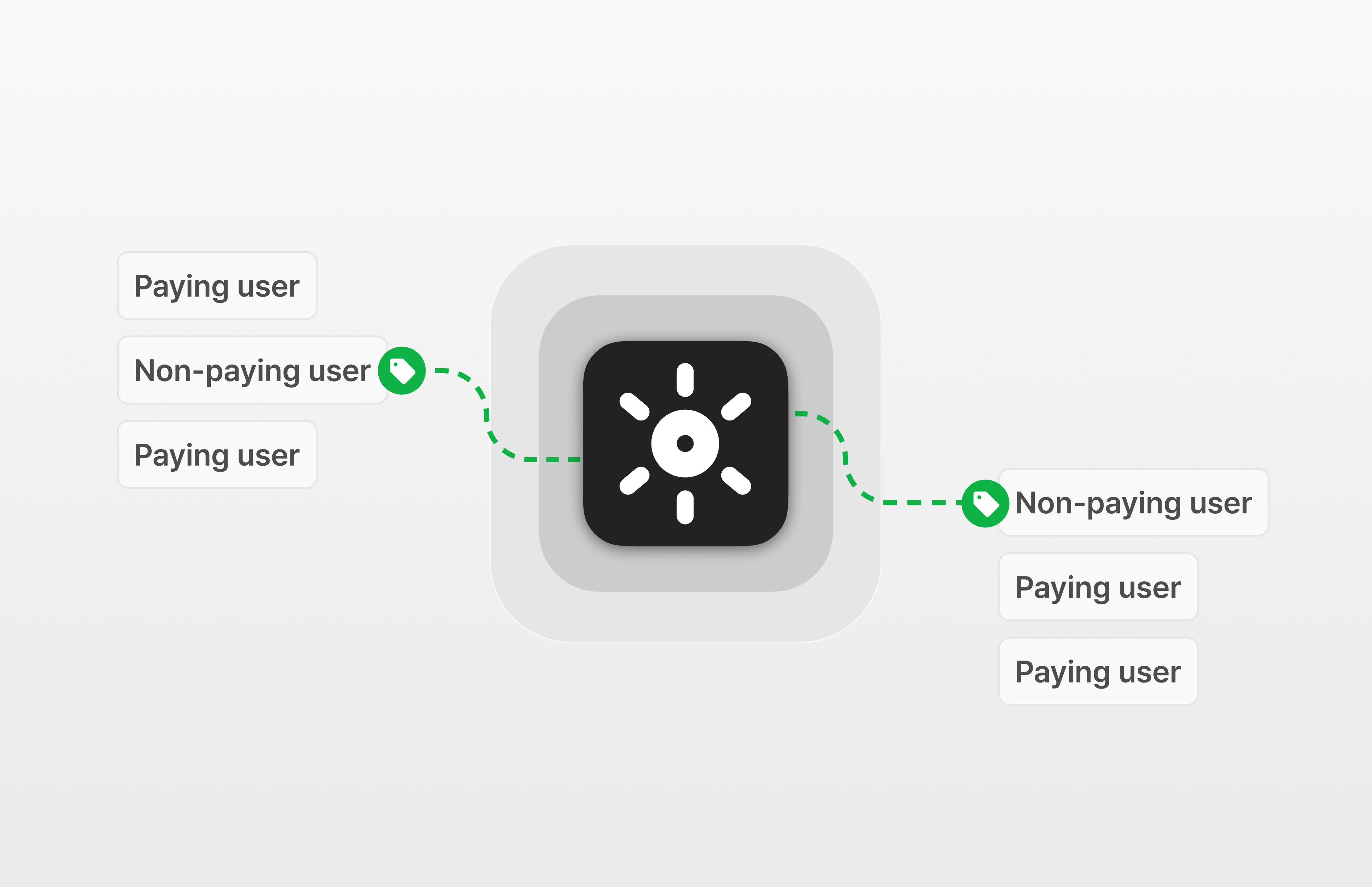
  1. User Simulation 🔥: Test the screens your non-paying users will see.
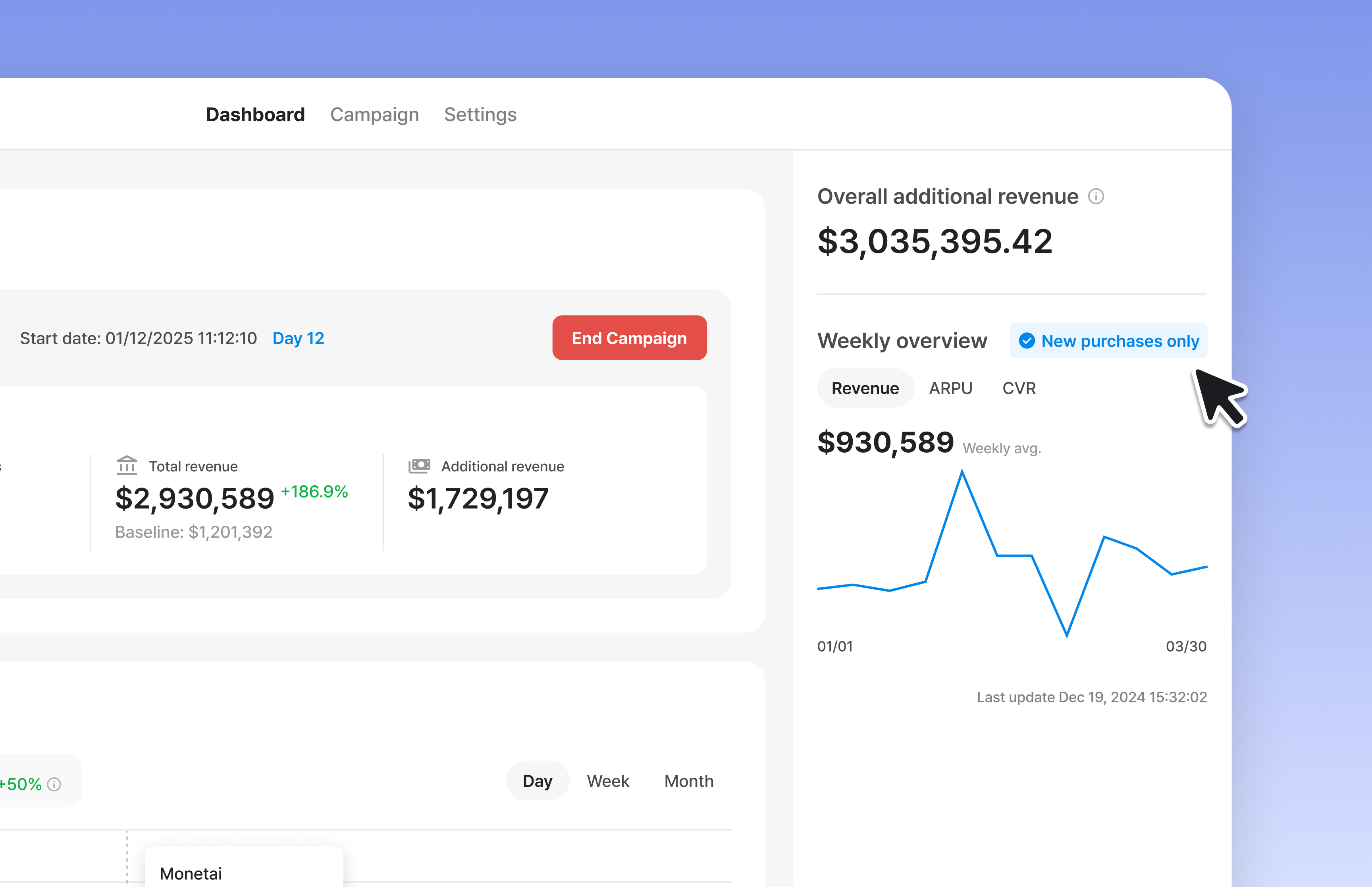
  2. Weekly Revenue Metrics: Check your app's weekly revenue right from the sidebar.
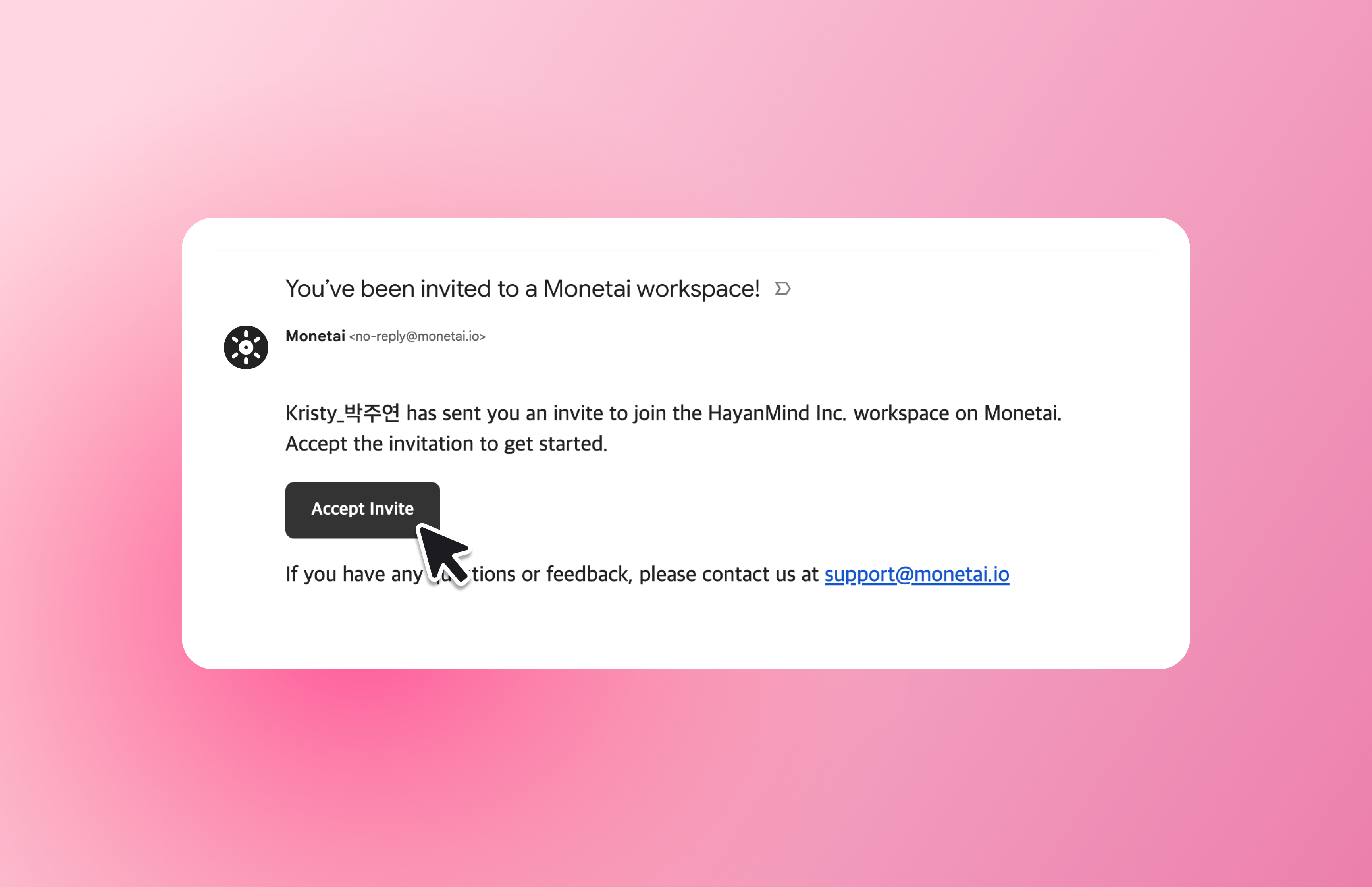
  3. Improved Team Member Invitations: Invite team members with an email invitation.
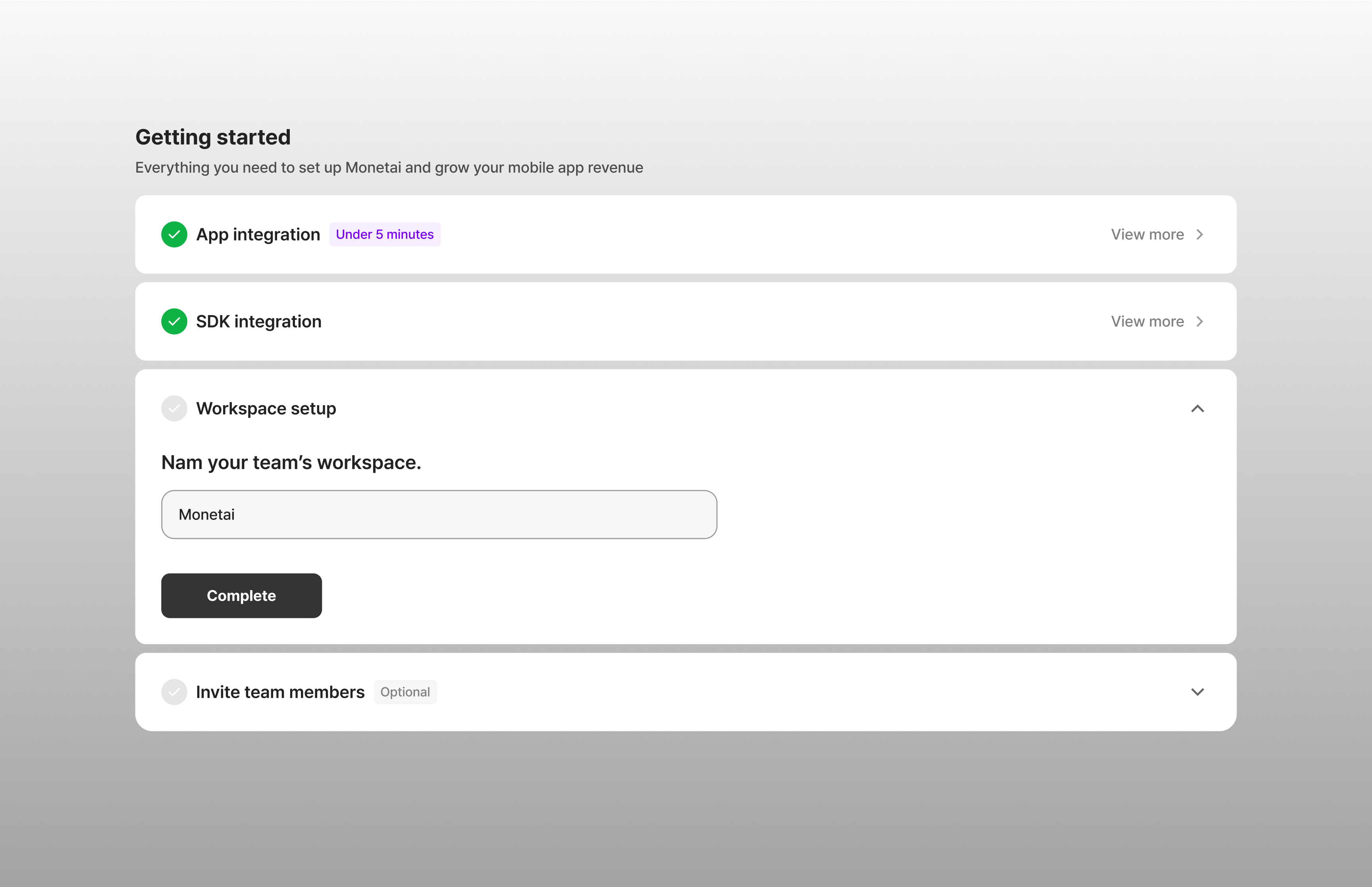
  4. Set Workspace Names: You can now set a name for your workspace.
  5. Support for Custom Event Properties 🔥: Collect custom events segmented by their properties.

① User Simulation: Test the screens your non-paying users will see!

You can now use User Simulation to test the screens that users who haven't made a purchase will see.

  • Even before your AI model is complete, you can test and develop screens for all user types—including non-paying users—right from the SDK integration stage.

User Simulation

② Weekly Revenue Metrics: Check your app's weekly revenue in the sidebar.

You can now track the revenue metrics accumulated after integrating Monetai.

  • View your revenue in real-time, and segment the data by total payments and new payments.
  • You can find it in your dashboard's sidebar!

Sidebar

③ Improved Team Member Invitations: Invite team members with an email invitation.

🔍 What's Changed?

  • AS-IS: Members were added instantly upon invitation, but with no acceptance process, it was hard to know if they had acknowledged the invite.
  • TO-BE: Invited members can now join the workspace through a link in their email, making the entire invitation process clear for everyone.

Email Invite

④ Set Workspace Names: You can now set a name for your workspace.

🔍 What's Changed?

  • AS-IS: Workspaces had no names, making it difficult to confirm which workspace you belonged to after signing up.
  • TO-BE: You can now set a workspace name during the onboarding process. This name will also appear in team invitations, so members know exactly which workspace they’re being invited to.

Workspace Name

⑤ Support for Custom Event Properties: Now you can collect custom events with their properties.

🔍 What's Changed?

  • AS-IS: We only collected the Event Name for custom events.
  • TO-BE: We now collect parameters (properties) as well. For custom events that have properties, the event will be identified by a combination of the Event Name and its properties.

We encourage you to try out the new updates and let us know what you think.
We are committed to constantly improving your experience. We look forward to your continued use and feedback!

✉️ Send suggestions: support@monetai.io