July 2025
v.1.0.1
Introducing Monetai's First-Ever Release Notes! 🎉
From now on, this is where we'll be the first to share updates on new features and improvements made thanks to your valuable feedback. If you have any great ideas on how Monetai can grow, please feel free to suggest them anytime.
✉️ Send us your suggestions: support@monetai.io
✅ What's New in July
- User Simulation 🔥: Test the screens your non-paying users will see.
- Weekly Revenue Metrics: Check your app's weekly revenue right from the sidebar.
- Improved Team Member Invitations: Invite team members with an email invitation.
- Set Workspace Names: You can now set a name for your workspace.
- Support for Custom Event Properties 🔥: Collect custom events segmented by their properties.
① User Simulation: Test the screens your non-paying users will see!
You can now use User Simulation to test the screens that users who haven't made a purchase will see.
- Even before your AI model is complete, you can test and develop screens for all user types—including non-paying users—right from the SDK integration stage.
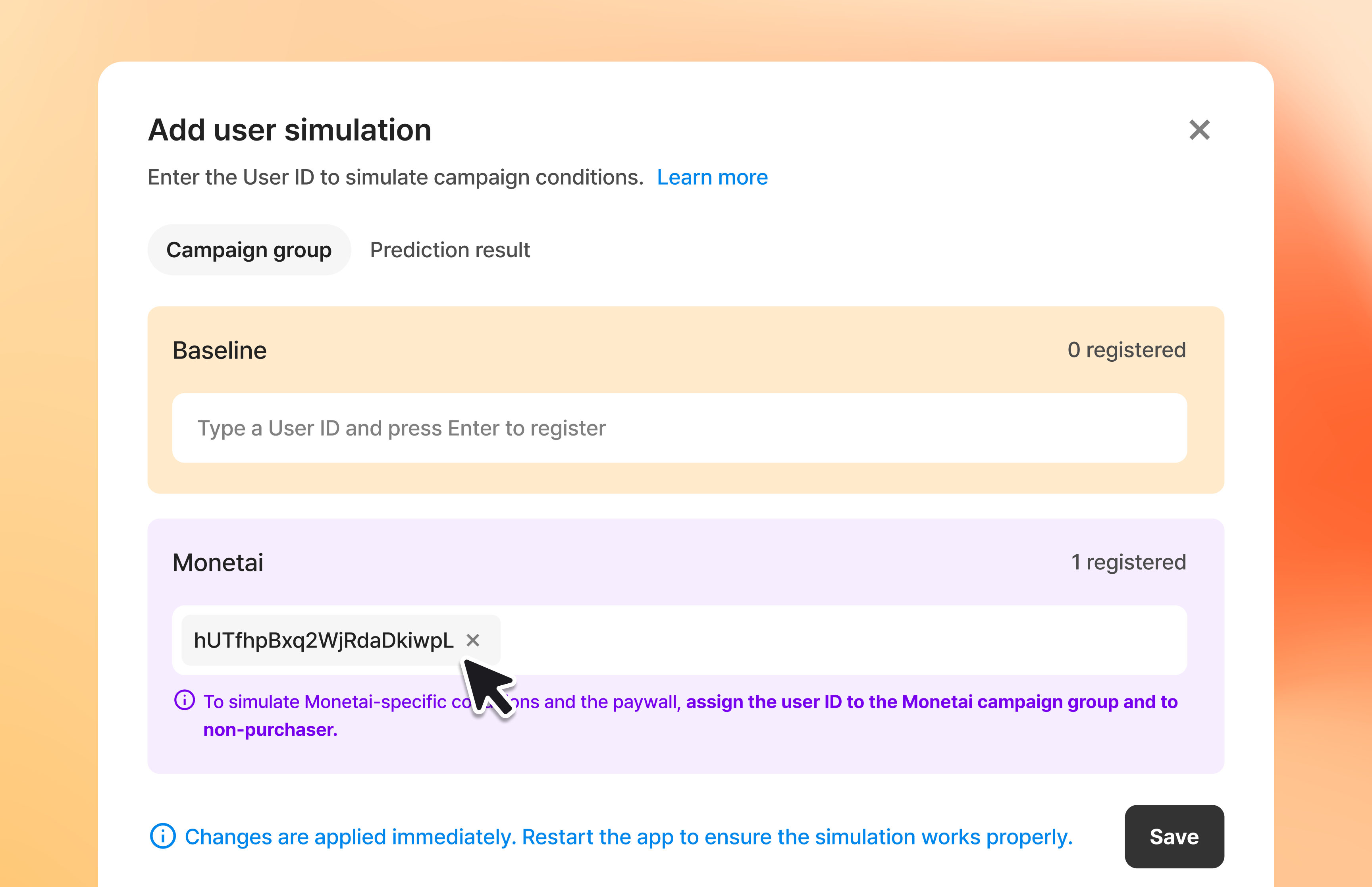
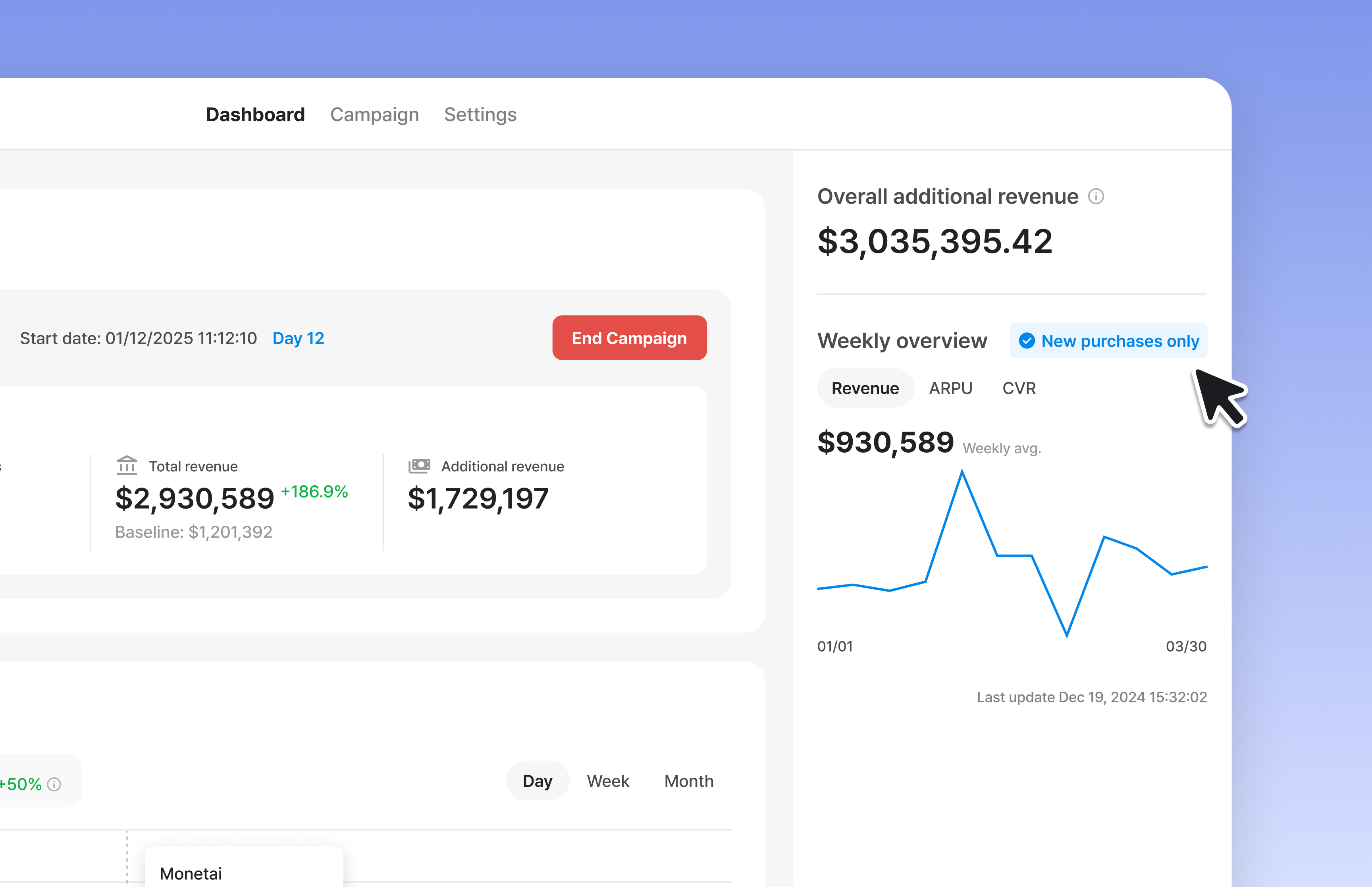
② Weekly Revenue Metrics: Check your app's weekly revenue in the sidebar.
You can now track the revenue metrics accumulated after integrating Monetai.
- View your revenue in real-time, and segment the data by total payments and new payments.
- You can find it in your dashboard's sidebar!
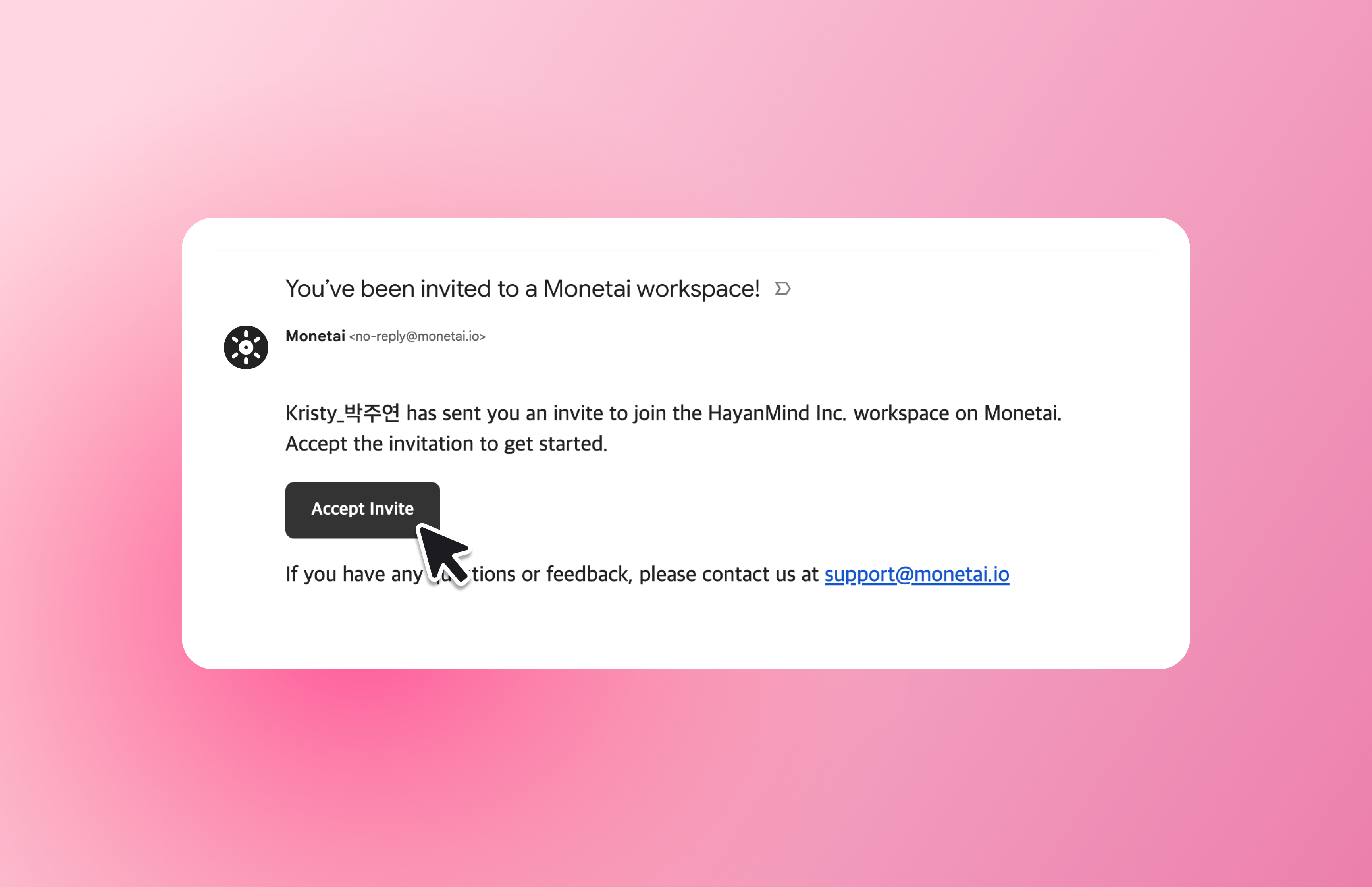
③ Improved Team Member Invitations: Invite team members with an email invitation.
🔍 What's Changed?
- AS-IS: Members were added instantly upon invitation, but with no acceptance process, it was hard to know if they had acknowledged the invite.
- TO-BE: Invited members can now join the workspace through a link in their email, making the entire invitation process clear for everyone.
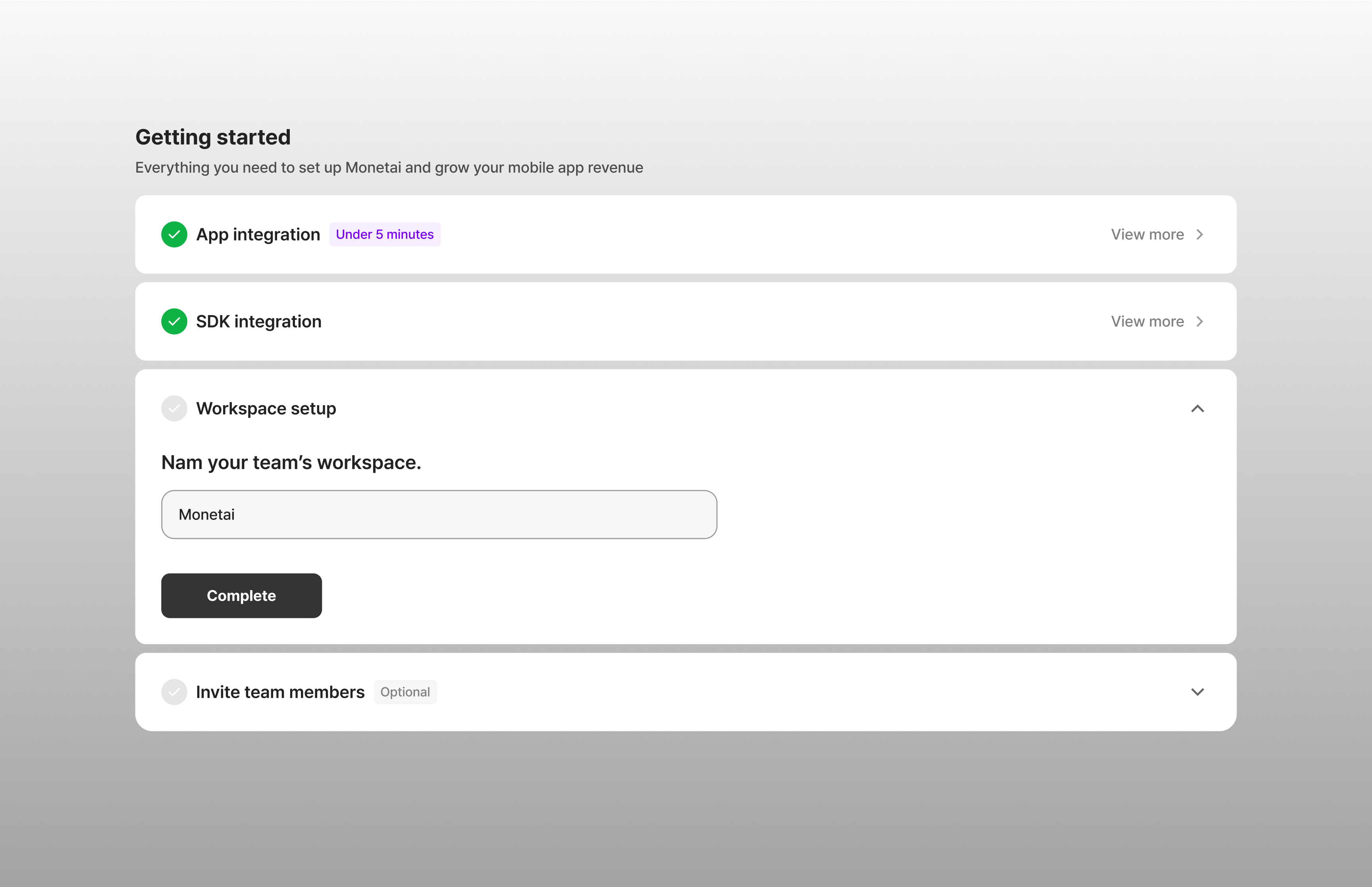
④ Set Workspace Names: You can now set a name for your workspace.
🔍 What's Changed?
- AS-IS: Workspaces had no names, making it difficult to confirm which workspace you belonged to after signing up.
- TO-BE: You can now set a workspace name during the onboarding process. This name will also appear in team invitations, so members know exactly which workspace they’re being invited to.
⑤ Support for Custom Event Properties: Now you can collect custom events with their properties.
🔍 What's Changed?
- AS-IS: We only collected the
Event Namefor custom events. - TO-BE: We now collect parameters (properties) as well. For custom events that have properties, the event will be identified by a combination of the
Event Nameand its properties.
We encourage you to try out the new updates and let us know what you think.
We are committed to constantly improving your experience. We look forward to your continued use and feedback!
✉️ Send suggestions: support@monetai.io