UI Template Design Guide
- Monetai's UI templates are designed to work for anyone, right out of the box. Their power comes from a clean, persuasive layout, so you can launch them immediately without needing to supply your own custom images, reviews, or logos.
- All templates include a countdown timer and are designed for a standard user flow: the user clicks a promotion banner on your main screen to enter the paywall.
- Currently supports English, Korean, and Japanese.
- Use this guide to understand the features of each template and choose the best one for your app.
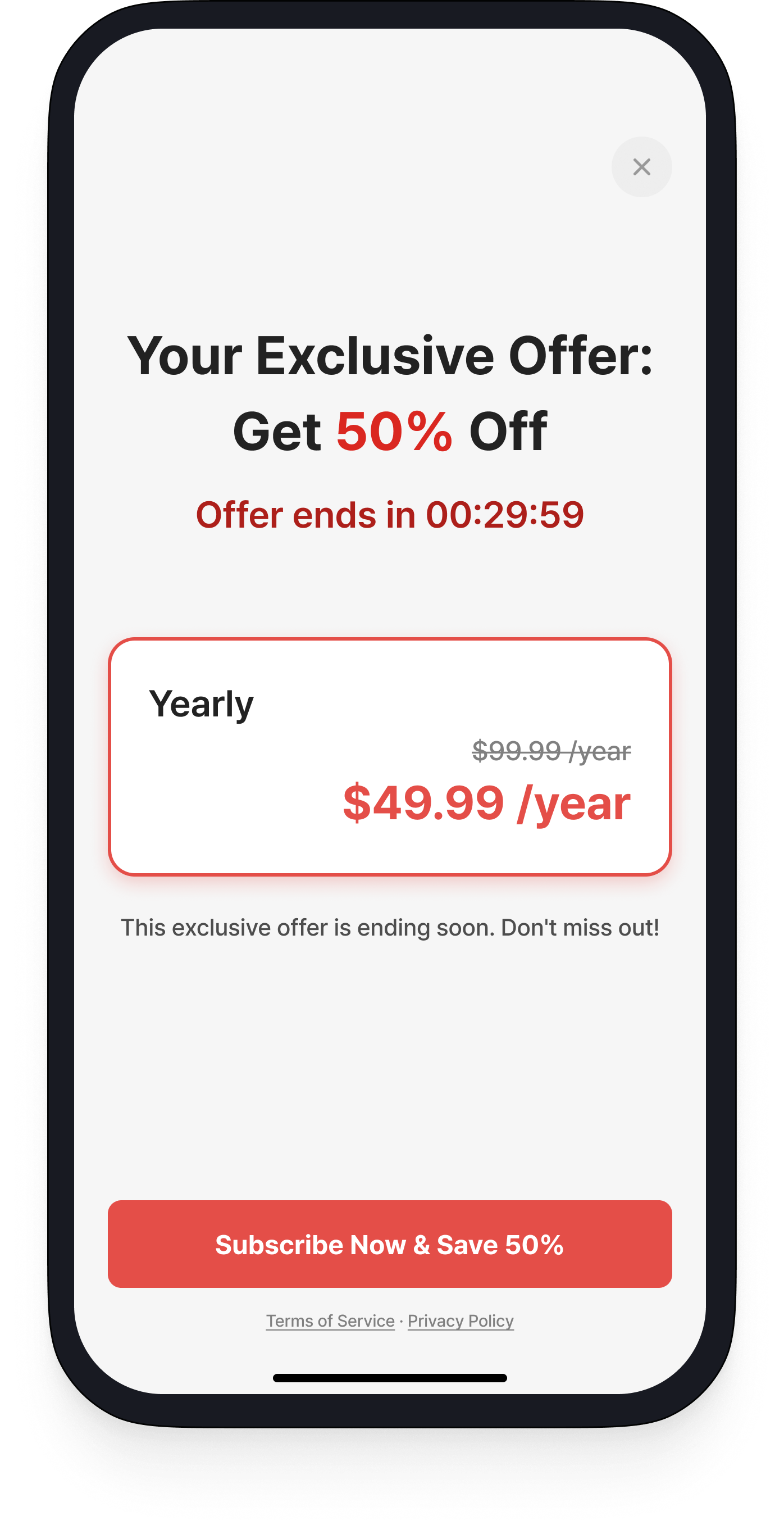
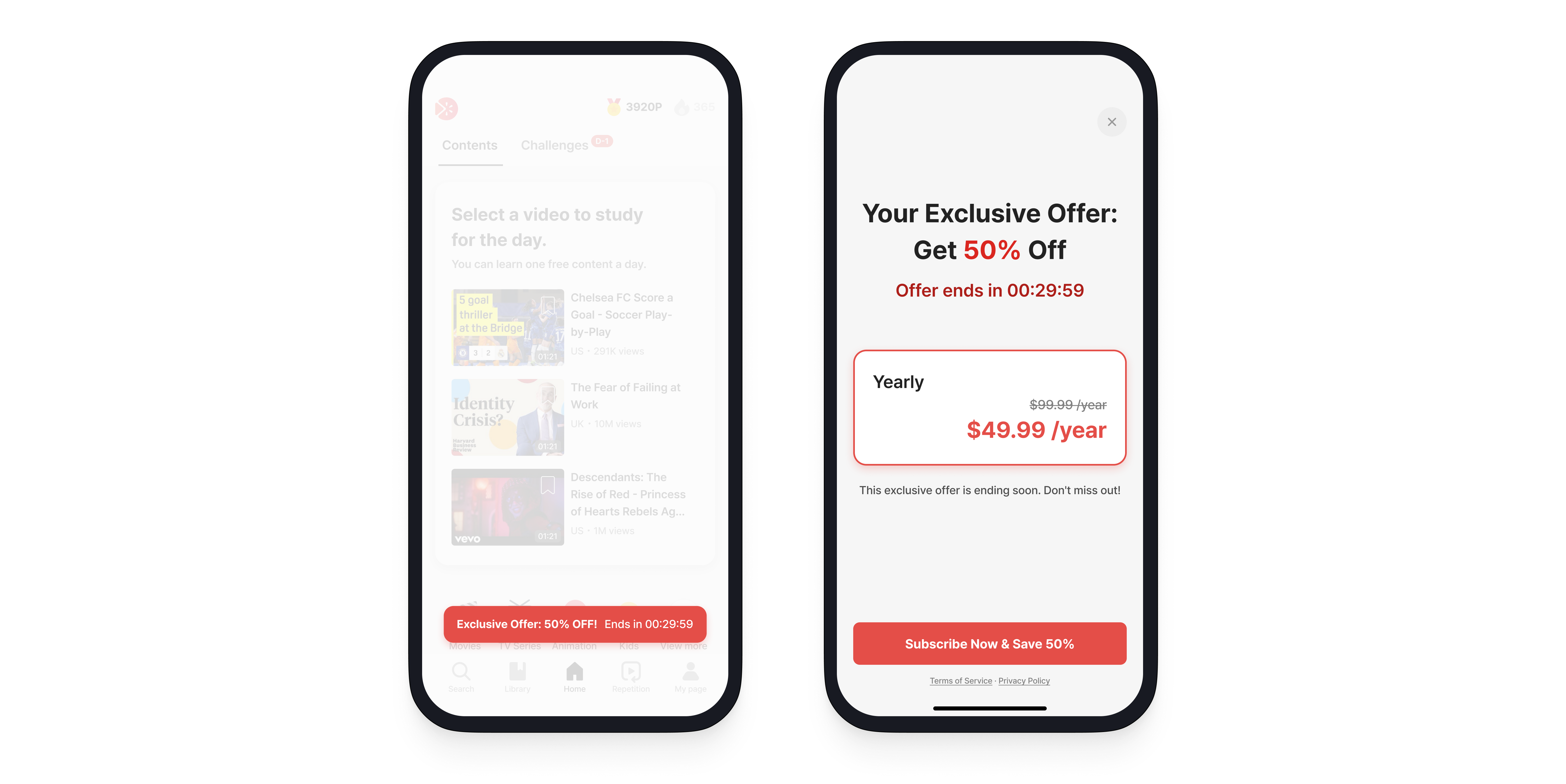
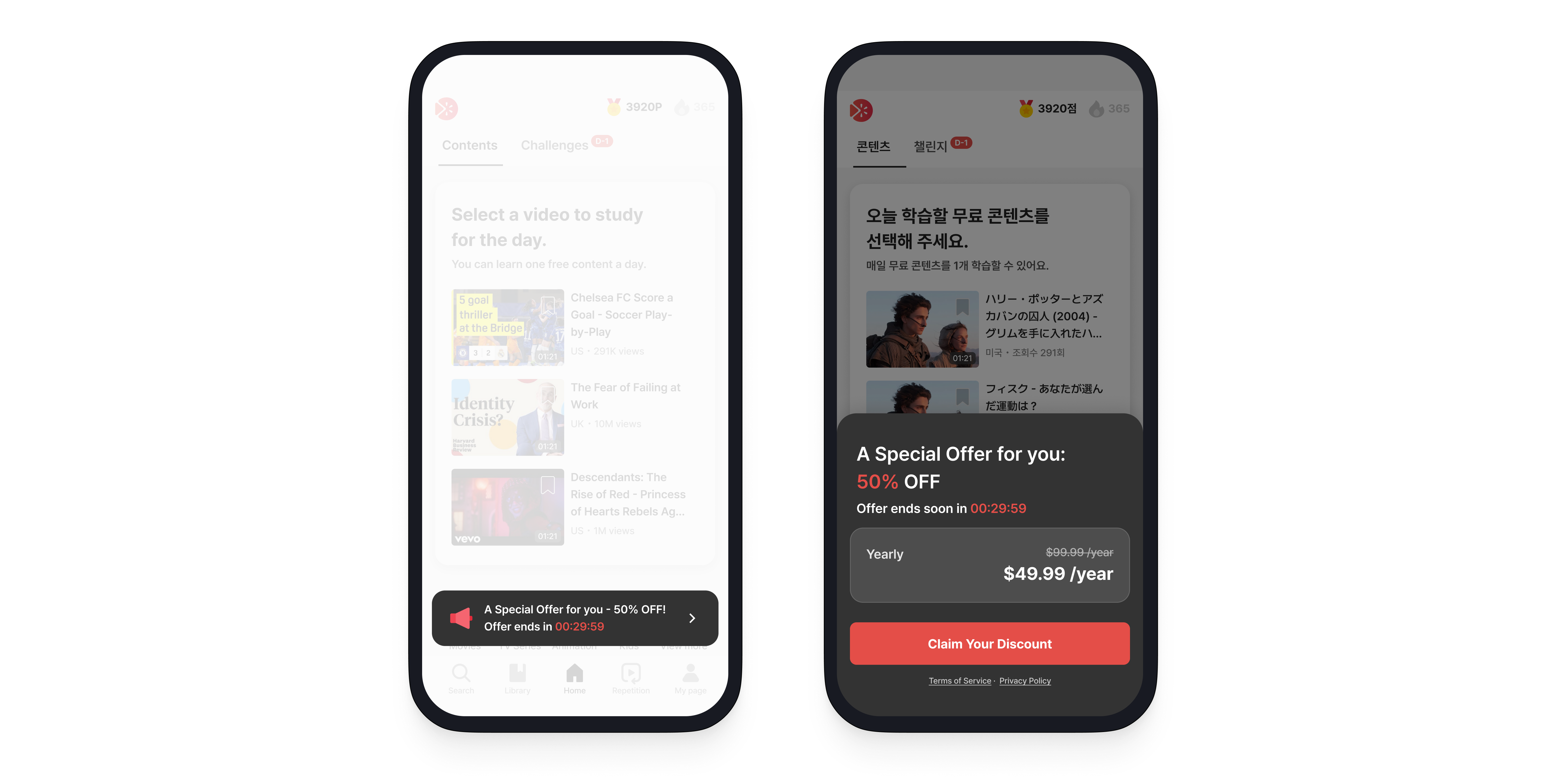
Text-centric
This template puts your offer front and center. It minimizes visual distractions, guiding the user's attention directly to the discount and call to action.
Key Features
- Gets straight to the point: the discount and the price.
- A clean layout simplifies the decision-making process.
Recommended for:
- When your primary goal is to communicate the offer quickly and clearly.
- When your service's value is self-evident and doesn't need much explanation.
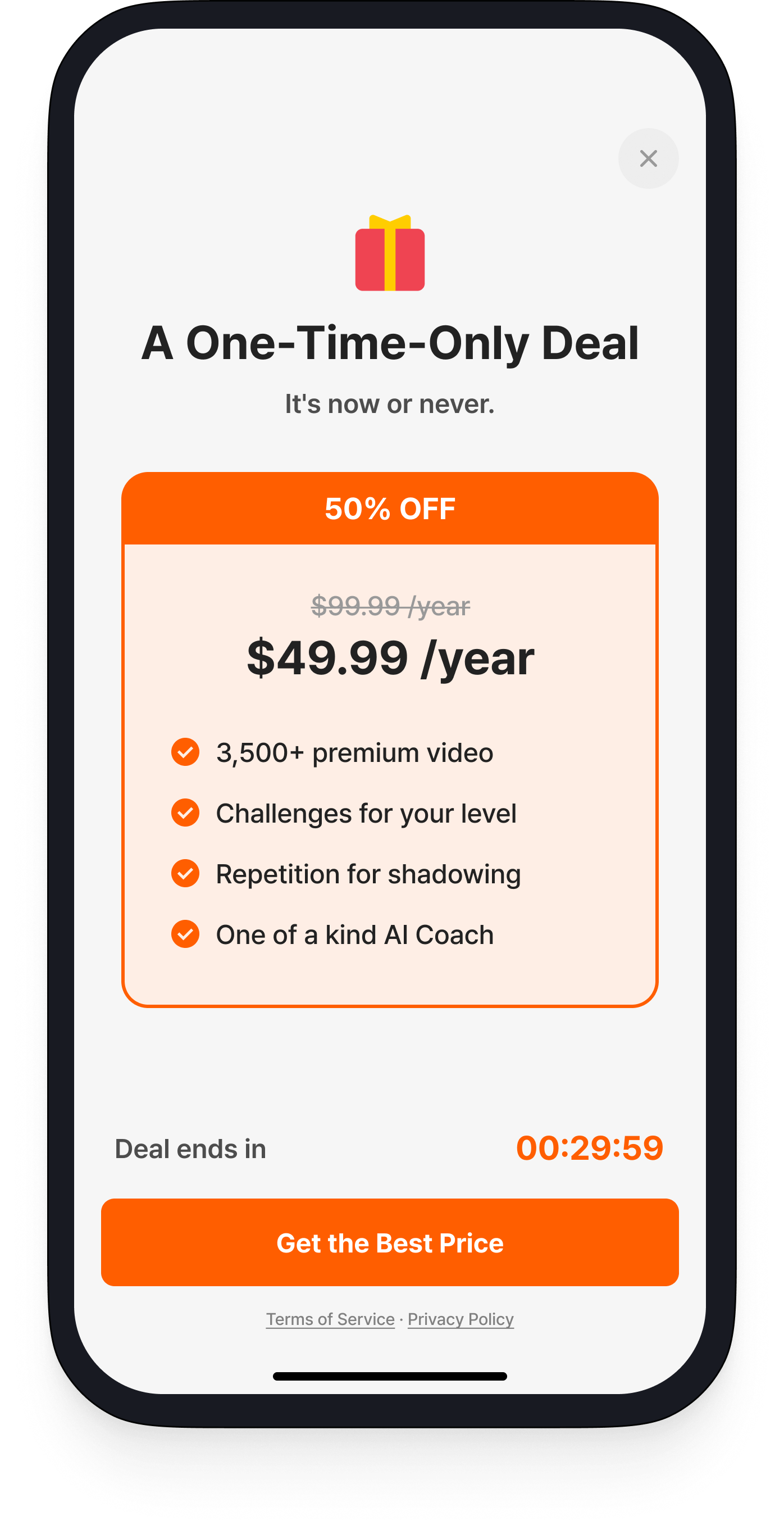
The Compact
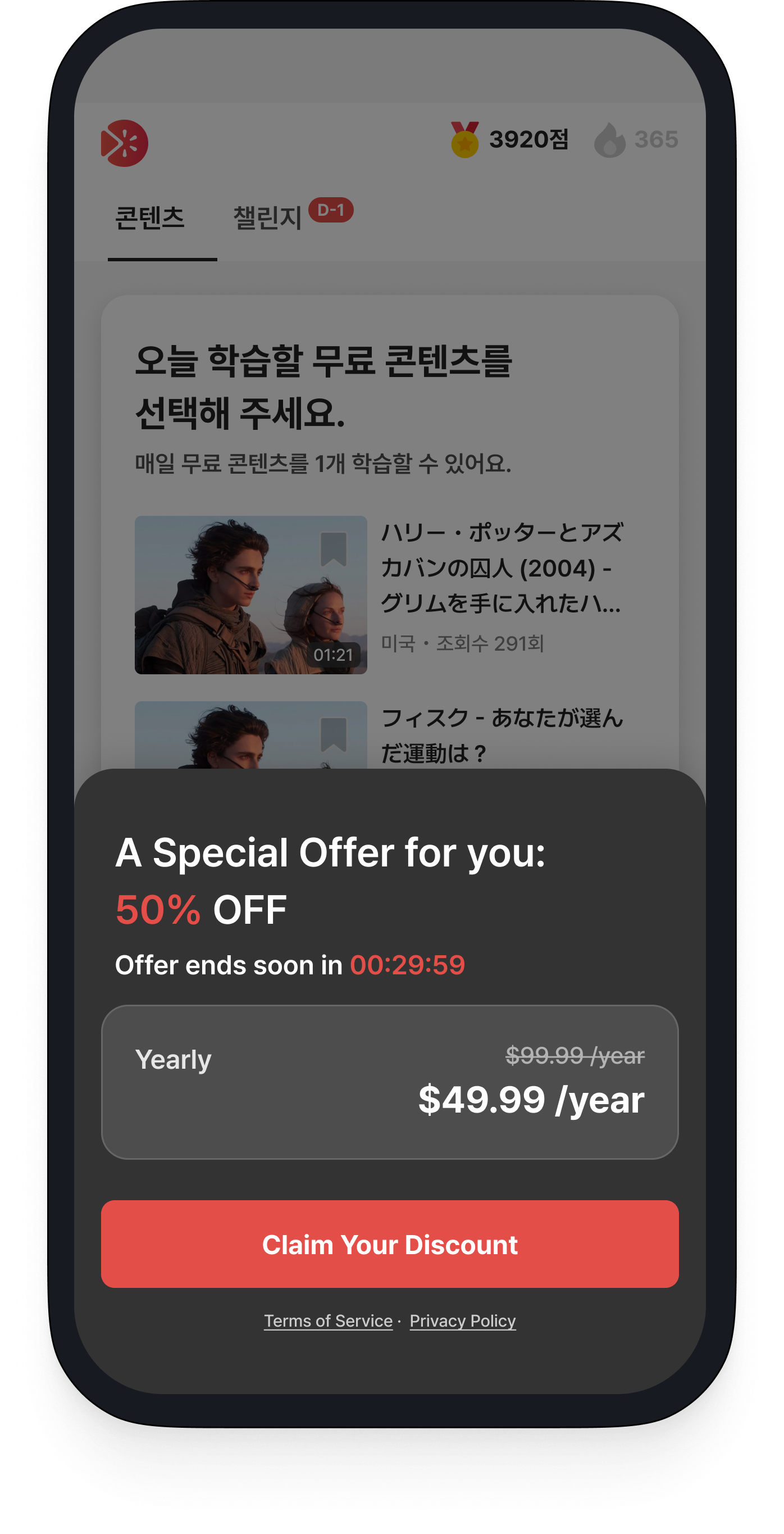
A condensed version of the Text-centric template, this option presents the core offer concisely in a bottom sheet. It introduces the promotion without disrupting the user's current workflow.
Key Features
- Uses a bottom sheet so the user doesn't lose the context of their current screen.
- Effectively delivers the promotion's core message in a compact space.
Recommended for:
- When you want to present a promotion in a less intrusive way.
- When you run frequent promotions and want to minimize user fatigue from new offers.
Feature-driven
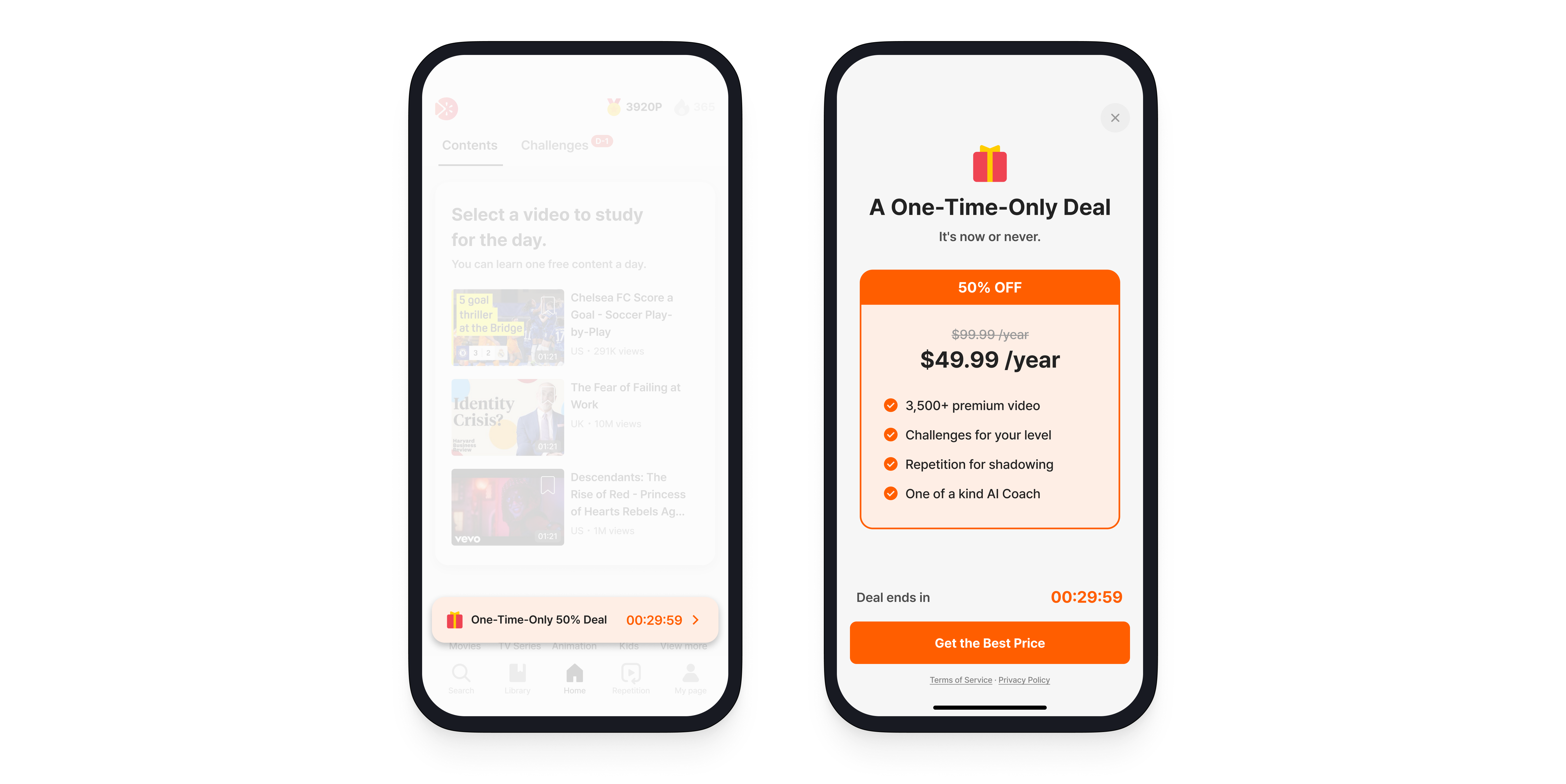
This template encourages subscriptions by highlighting the 3-4 most compelling benefits users will gain by converting to a paid plan.
Key Features
- Summarizes key features with concise, easy-to-read text.
- High readability allows users to quickly understand the benefits.
Best for:
- When a discount alone may not be persuasive enough to drive conversions.
- When you have clear, game-changing features like "Ad Removal" or "Exclusive Content" that dramatically improve the user experience.
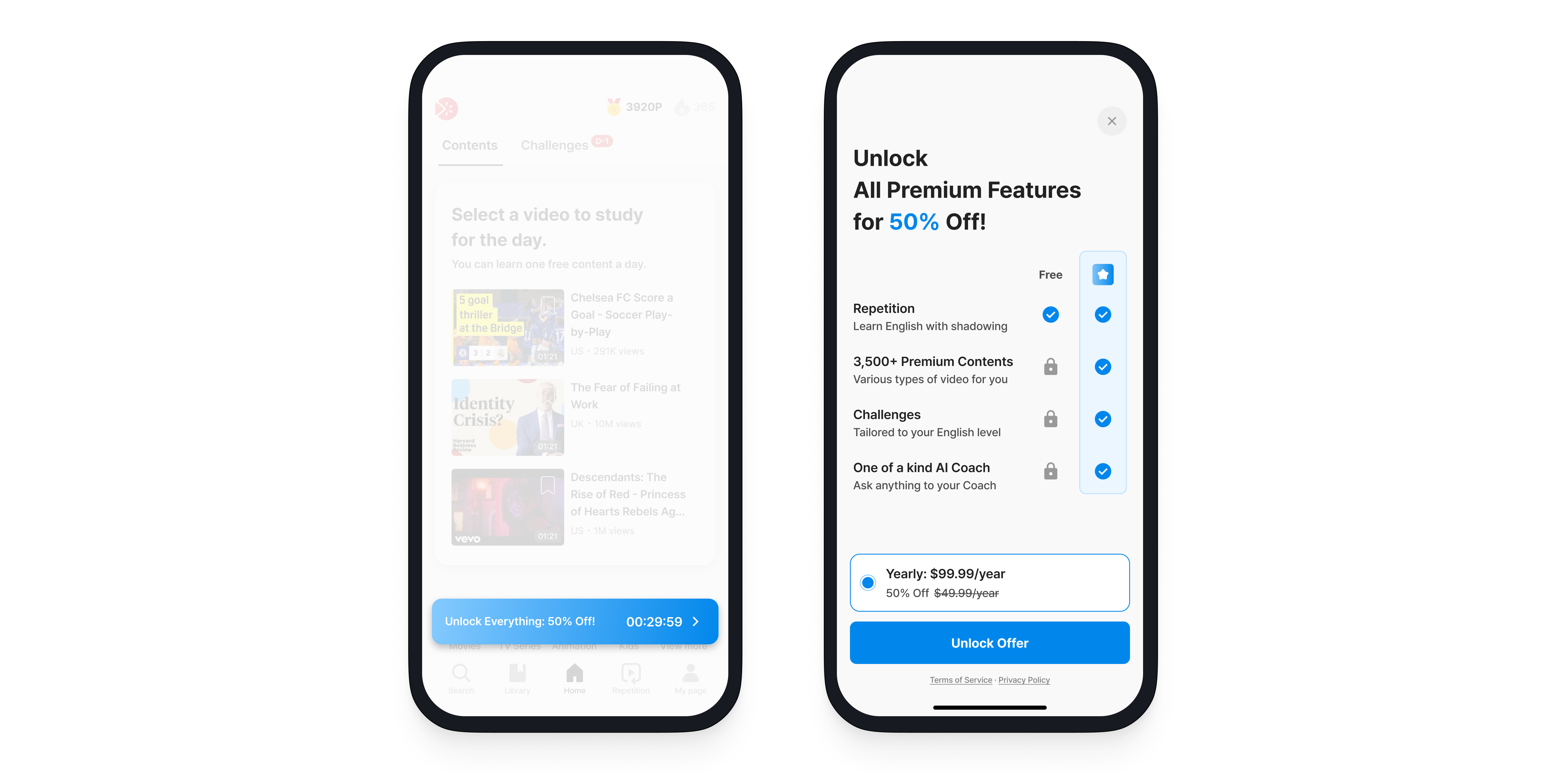
Plan Comparison
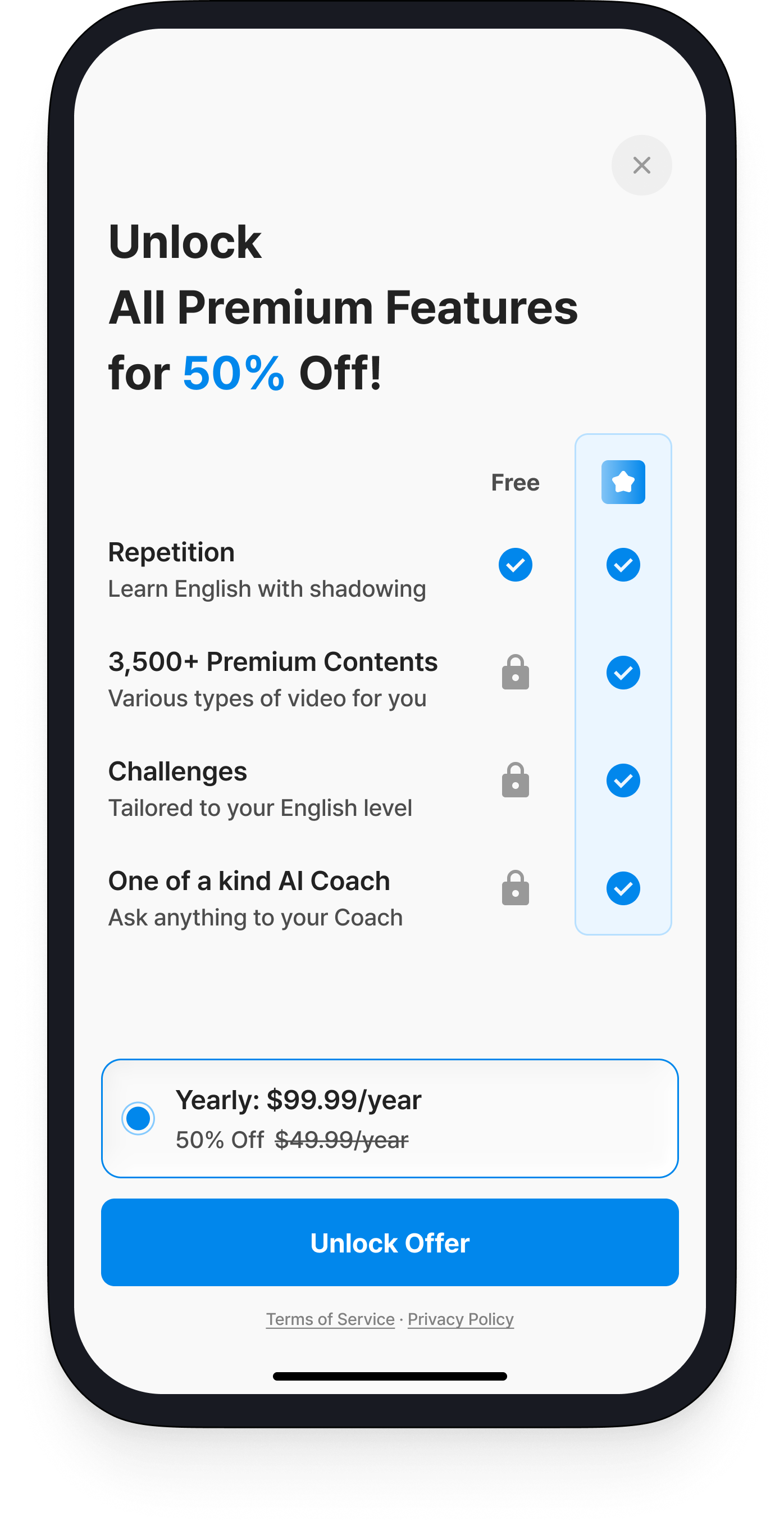
This template helps users make a rational decision by presenting the feature differences between your free and paid plans in a clear comparison table.
Key Features
- Clearly illustrates the value and advantages of the paid plan over the free plan.
Best for:
- Services that offer a wide range of features, such as SaaS, educational platforms, or professional tools.
- When the subscription price is high and requires providing users with sufficient information to justify the cost.